Code Snip
Copy code from Stack Overflow, Github, and AskUbuntu's websites expediting the time it takes you to debug issues.
Что такое Code Snip?
Code Snip - это расширение Chrome, разработанное jennifer.k.tam, и его основная функция - "Copy code from Stack Overflow, Github, and AskUbuntu's websites expediting the time it takes you to debug issues.".
Снимки экрана расширения
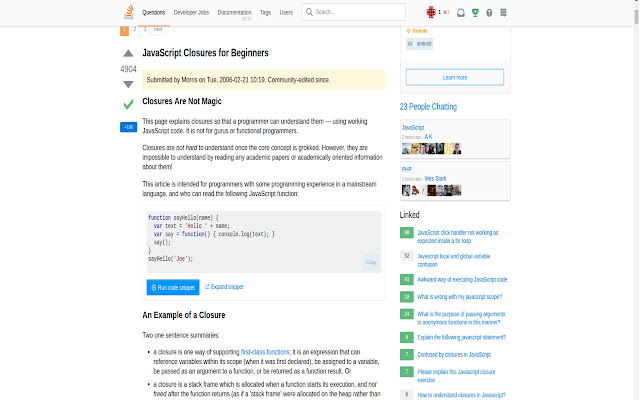


Скачать файл CRX расширения Code Snip
Скачайте файлы расширений Code Snip в формате crx, установите расширения Chrome вручную в браузере или поделитесь файлами crx с друзьями, чтобы легко установить расширения Chrome.
Инструкции по использованию расширения
                        Copy code from stackoverflow.com, github.com, and askubuntu.com to your clipboard, expediting the time it takes you to copy and test code.


Code Snip is a productivity tool that allows you to copy source code to your clipboard with the click of a button.

Say goodbye to the days of manually highlighting desired code and right clicking to copy and paste or using your pressing CTRL + C and CTRL + V. Code Snip will copy code for you and the best part is that it's free!

Download it today at the Chrome Store.
Основная информация о расширении
| Название |  Code Snip Code Snip |
| ID | loeopfggphfjeegjidkjbogidpbapold |
| Официальный URL | https://chrome.google.com/webstore/detail/code-snip/loeopfggphfjeegjidkjbogidpbapold |
| Описание | Copy code from Stack Overflow, Github, and AskUbuntu's websites expediting the time it takes you to debug issues. |
| Размер файла | 31.89 KB |
| Количество установок | 399 |
| Текущая Версия | 1.0 |
| Последнее Обновление | 2017-08-05 |
| Дата публикации | 2017-08-05 |
| Разработчик | jennifer.k.tam |
| Тип оплаты | free |
| Поддерживаемые языки | en |
| manifest.json | |
{
    "update_url": "https:\/\/clients2.google.com\/service\/update2\/crx",
    "name": "Code Snip",
    "version": "1.0",
    "manifest_version": 2,
    "description": "Copy code from Stack Overflow, Github, and AskUbuntu's websites expediting the time it takes you to debug issues.",
    "background": {
        "scripts": [
            "js\/background.js"
        ],
        "persistent": false
    },
    "icons": {
        "16": "icon.png",
        "48": "icon.png",
        "128": "icon.png"
    },
    "browser_action": {
        "default_icon": "icon.png",
        "default_title": "Code Snip",
        "default_popup": "overlay.html"
    },
    "permissions": [
        "activeTab"
    ],
    "content_scripts": [
        {
            "css": [
                "css\/stackOverflow.css"
            ],
            "js": [
                "js\/stackOverflow.js",
                "js\/contentscript.js",
                "js\/copy-to-clipboard.js"
            ],
            "matches": [
                "https:\/\/stackoverflow.com\/*"
            ]
        },
        {
            "css": [
                "css\/github.css"
            ],
            "js": [
                "js\/github.js",
                "js\/contentscript.js",
                "js\/copy-to-clipboard.js"
            ],
            "matches": [
                "https:\/\/github.com\/*"
            ]
        },
        {
            "css": [
                "css\/ubuntu.css"
            ],
            "js": [
                "js\/ubuntu.js",
                "js\/contentscript.js",
                "js\/copy-to-clipboard.js"
            ],
            "matches": [
                "https:\/\/askubuntu.com\/*"
            ]
        }
    ],
    "content_security_policy": "script-src 'self' https:\/\/apis.google.com; object-src 'self'"
} | |