rHub
Displays ae/h for rPlanet elements on AtomicHub.
Что такое rHub?
rHub - это расширение Chrome, разработанное the.nurbrun, и его основная функция - "Displays ae/h for rPlanet elements on AtomicHub.".
Снимки экрана расширения
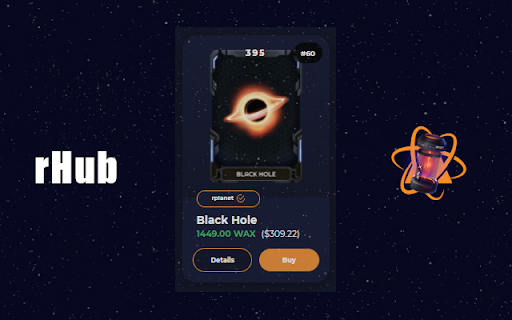
Скачать файл CRX расширения rHub
Скачайте файлы расширений rHub в формате crx, установите расширения Chrome вручную в браузере или поделитесь файлами crx с друзьями, чтобы легко установить расширения Chrome.
Инструкции по использованию расширения
                        WHAT: rHub adds hourly staking values to rPlanet elements listed on AtomicHub.

WHY: The current solution is a community managed google document. It is hard and time consuming to quickly look up staking values for each listed element.

HOW: rHub modifies HTML (ONLY) on the Atomic Hub market page. It does not require logins and is simply a front-end skin for an already existing platform. No data is stored, nor sent.

Source code: https://github.com/nurbrun/rHub
Основная информация о расширении
| Название |  rHub rHub |
| ID | lpnjccocbofcebeofldplhkfnppopjnj |
| Официальный URL | https://chromewebstore.google.com/detail/rhub/lpnjccocbofcebeofldplhkfnppopjnj |
| Описание | Displays ae/h for rPlanet elements on AtomicHub. |
| Размер файла | 1.82 MB |
| Количество установок | 988 |
| Текущая Версия | 2.06 |
| Последнее Обновление | 2021-08-15 |
| Дата публикации | 2021-05-13 |
| Рейтинг | 4.86/5 Всего 7 оценок |
| Разработчик | the.nurbrun |
| Электронная почта | [email protected] |
| Тип оплаты | free |
| Поддерживаемые языки | en-US |
| manifest.json | |
{
    "update_url": "https:\/\/clients2.google.com\/service\/update2\/crx",
    "name": "rHub",
    "description": "Displays ae\/h for rPlanet elements on AtomicHub.",
    "version": "2.06",
    "manifest_version": 3,
    "options_page": "options.html",
    "permissions": [
        "activeTab",
        "scripting"
    ],
    "action": {
        "default_popup": "popup.html",
        "default_icon": {
            "16": "\/images\/ae16.png",
            "32": "\/images\/ae32.png",
            "48": "\/images\/ae48.png",
            "128": "\/images\/ae128.png"
        }
    },
    "icons": {
        "16": "\/images\/ae16.png",
        "32": "\/images\/ae32.png",
        "48": "\/images\/ae48.png",
        "128": "\/images\/ae128.png"
    }
} | |