MEW CX - is now Enkrypt
MyEtherWallet Chrome Extension is now Enkrypt
Что такое MEW CX - is now Enkrypt?
MEW CX - is now Enkrypt - это расширение Chrome, разработанное MyEtherWallet Inc, и его основная функция - "MyEtherWallet Chrome Extension is now Enkrypt".
Снимки экрана расширения
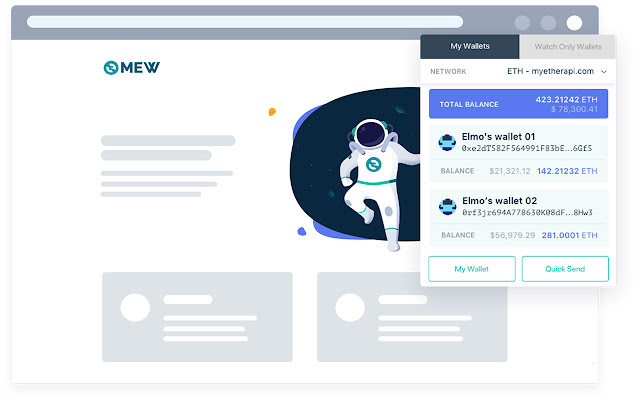


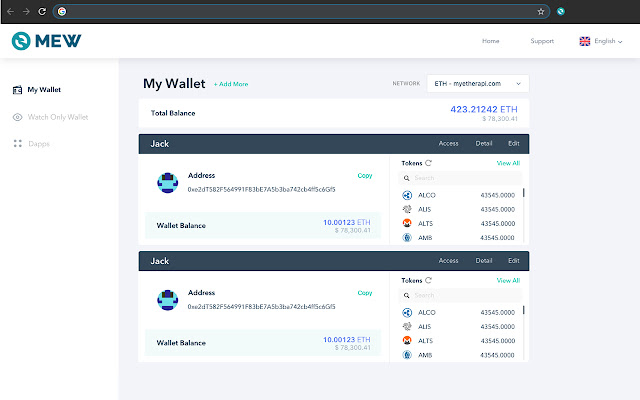

Скачать файл CRX расширения MEW CX - is now Enkrypt
Скачайте файлы расширений MEW CX - is now Enkrypt в формате crx, установите расширения Chrome вручную в браузере или поделитесь файлами crx с друзьями, чтобы легко установить расширения Chrome.
Инструкции по использованию расширения
                        MEW CX is now Enkrypt! We have improved upon our web3 wallet and launched Enkrypt.

This new and improved browser extension supports all of Ethereum and Polkadot!

You can learn more about Enkrypt at Enkrypt.com
You can also find it on the Chrome extension store by searching Enkrypt
Finally, we created a guide for helping migrate your assets from MEW CX to Enkrypt: https://help.myetherwallet.com/en/articles/6434663-migrating-from-mew-cx-to-enkrypt

***
Browse the blockchain. Bring your own MEW.

The fully redesigned MEW CX brings full MEW functionality and Web3 support to your browser toolbar! Send transactions, interact with DApps, save wallets in your browser, swap crypto, and manage your tokens all from our new browser extension.

The option to choose different wallets for different DApps and the burn address function let you explore the decentralized internet with confidence. Best of all, our CX stays true to MEW ideals by remaining a 100% free, open-source, and client-side tool.

FEATURES
- Phishing protection
- Web3 support allows for easy DApp integration
- Choose different wallets to interact with different DApps
- Burn addresses are available for temporary use
- Wallets are generated completely client-side and kept personal
- Key management is easier than ever for private keys, keystore files, and mnemonic phrases
- Easily send Ether and ERC-20 tokens from a QuickSend dropdown. Hundreds of default tokens already included, as well as the ability to add custom tokens right in the extension!

Learn all about our code at Github: https://github.com/myetherwallet/myetherwallet

Removing MEW CX will cause your saved wallets to reset, so only remove this extension as a last resort. It can be temporary disabled from your browser's extension page.

Created and maintained by:
- MyEtherWallet
Основная информация о расширении
| Название |  MEW CX - is now Enkrypt MEW CX - is now Enkrypt |
| ID | nlbmnnijcnlegkjjpcfjclmcfggfefdm |
| Официальный URL | https://chrome.google.com/webstore/detail/mew-cx-is-now-enkrypt/nlbmnnijcnlegkjjpcfjclmcfggfefdm |
| Описание | MyEtherWallet Chrome Extension is now Enkrypt |
| Размер файла | 29.87 MB |
| Количество установок | 111,765 |
| Текущая Версия | 5.9.2 |
| Последнее Обновление | 2022-10-17 |
| Дата публикации | 2020-06-23 |
| Рейтинг | 4.36/5 Всего 375 оценок |
| Разработчик | MyEtherWallet Inc |
| Электронная почта | [email protected] |
| Тип оплаты | free |
| Официальный сайт расширения | https://www.mewcx.com/ |
| URL страницы помощи | https://kb.myetherwallet.com/ |
| URL страницы политики конфиденциальности | https://myetherwallet.com/privacy-policy |
| Поддерживаемые языки | en |
| manifest.json | |
{
"update_url": "https:\/\/clients2.google.com\/service\/update2\/crx",
"name": "MEW CX - is now Enkrypt",
"short_name": "MEW CX - is now Enkrypt",
"manifest_version": 2,
"description": "MyEtherWallet Chrome Extension is now Enkrypt",
"homepage_url": "https:\/\/www.myetherwallet.com\/",
"icons": {
"16": "img\/icons\/icon16.png",
"32": "img\/icons\/icon32.png",
"48": "img\/icons\/icon48.png",
"192": "img\/icons\/icon192.png"
},
"browser_action": {
"default_icon": "img\/icons\/icon48.png",
"default_title": "MEW CX - is now Enkrypt",
"default_popup": "browserActionLoading.html"
},
"options_page": "index.html",
"background": {
"persistent": true,
"page": "page.html"
},
"content_scripts": [
{
"matches": [
" | |