Plus Right Stuff Hider
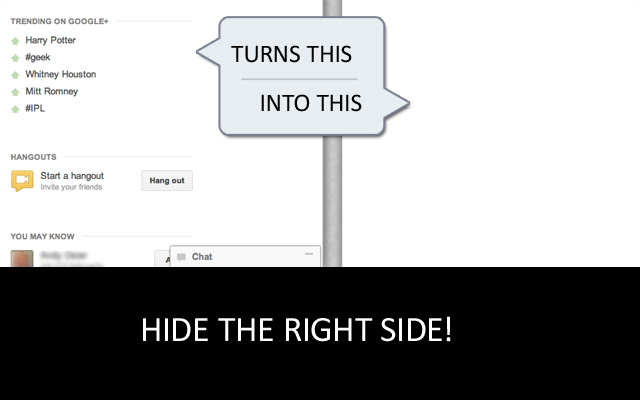
Hides the content (What's Trending, etc.) and the Chat thing on the right side of Google+
Что такое Plus Right Stuff Hider?
Plus Right Stuff Hider - это расширение Chrome, разработанное veddermatic, и его основная функция - "Hides the content (What's Trending, etc.) and the Chat thing on the right side of Google+".
Снимки экрана расширения
Скачать файл CRX расширения Plus Right Stuff Hider
Скачайте файлы расширений Plus Right Stuff Hider в формате crx, установите расширения Chrome вручную в браузере или поделитесь файлами crx с друзьями, чтобы легко установить расширения Chrome.
Инструкции по использованию расширения
                        Hides all the right side boxes; "Trending on Google+", "Hangouts", "You May Know", "You Might Like" as well as the "Chat" pop-up window in the newly redesigned Google+ UI.  If you don't use any of those things and don't want to see them, then this is the extension for you!

* Version 1.1 re-hides, as they changed the HTML / CSS of the plus layout.
* UPDATE! Version 1.2 re-hides, as they changed the HTML / CSS of the plus layout.
Основная информация о расширении
| Название |  Plus Right Stuff Hider Plus Right Stuff Hider |
| ID | oeipgihnclpojojmkmnjgnaebddpmibe |
| Официальный URL | https://chrome.google.com/webstore/detail/plus-right-stuff-hider/oeipgihnclpojojmkmnjgnaebddpmibe |
| Описание | Hides the content (What's Trending, etc.) and the Chat thing on the right side of Google+ |
| Размер файла | 18.6 KB |
| Количество установок | 23 |
| Текущая Версия | 1.2 |
| Последнее Обновление | 2012-06-27 |
| Дата публикации | 2012-06-27 |
| Рейтинг | 4.00/5 Всего 4 оценок |
| Разработчик | veddermatic |
| Тип оплаты | free |
| Поддерживаемые языки | en |
| manifest.json | |
{
    "update_url": "http:\/\/clients2.google.com\/service\/update2\/crx",
    "name": "Plus Right Stuff Hider",
    "version": "1.2",
    "manifest_version": 2,
    "icons": {
        "16": "icon16.png",
        "48": "icon48.png",
        "128": "icon128.png"
    },
    "description": "Hides the content (What's Trending, etc.) and the Chat thing on the right side of Google+",
    "content_scripts": [
        {
            "matches": [
                "https:\/\/plus.google.com\/*"
            ],
            "css": [
                "noRightSide.css"
            ]
        }
    ]
} | |