Doom element
ctrl/cmd+alt click to shoot down dom nodes. ctrl/cmd+z if you miss
Vad är Doom element?
Doom element är en Chrome-tillägg utvecklad av doomguy, och dess huvudfunktion är "ctrl/cmd+alt click to shoot down dom nodes. ctrl/cmd+z if you miss".
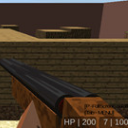
Tilläggsskärmbilder
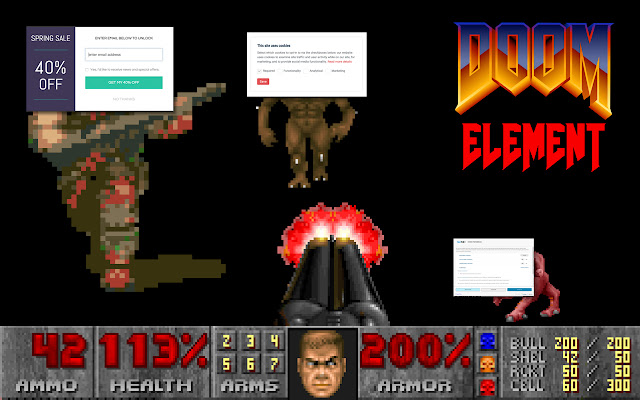
Ladda ner Doom element-förlängningens CRX-fil
Ladda ner Doom element-filändelser i crx-format, installera Chrome-tillägg manuellt i webbläsaren eller dela crx-filerna med vänner för att enkelt installera Chrome-tillägg.
Användarmanual för Tillägg
                        Remove annoyances from pages with some memorable sound effects. Doom element let's you remove DOM elements by clicking them while pressing ctrl+alt on Window and Linux and cmd+option on Mac. It also keeps track of elements recently removed so that they can be restored by pressing ctrl+z (cmd+z on mac).

The changes are not permanent: reload the page and it's back to normal.

It's a just a few lines of code that you're welcome to have a look at (see the website).

Note: doom element respects the content security policy of websites so it won't load any sound effects on websites that disallow it (eg. duckduckgo, twitter)
Grundläggande Information om Tillägg
| Namn |  Doom element Doom element |
| ID | abmdhhfbjcbloljngggdajoikodeabcc |
| Officiell webbadress | https://chrome.google.com/webstore/detail/doom-element/abmdhhfbjcbloljngggdajoikodeabcc |
| Beskrivning | ctrl/cmd+alt click to shoot down dom nodes. ctrl/cmd+z if you miss |
| Filstorlek | 38.59 KB |
| Antal Installationer | 111 |
| Aktuell Version | 1.1.3 |
| Senast Uppdaterad | 2022-11-15 |
| Publiceringsdatum | 2021-02-28 |
| Betyg | 5.00/5 Totalt 3 Betyg |
| Utvecklare | doomguy |
| E-post | [email protected] |
| Betalningssätt | free |
| Tilläggswebbplats | https://github.com/sktt/doom_element |
| Stödda Språk | en |
| manifest.json | |
{
"update_url": "https:\/\/clients2.google.com\/service\/update2\/crx",
"manifest_version": 3,
"name": "Doom element",
"description": "ctrl\/cmd+alt click to shoot down dom nodes. ctrl\/cmd+z if you miss",
"version": "1.1.3",
"icons": {
"16": "icon.png",
"48": "icon.png",
"128": "icon.png"
},
"content_scripts": [
{
"matches": [
" | |