Chrome Board
Simple Behavior Management for Classrooms
Vad är Chrome Board?
Chrome Board är en Chrome-tillägg utvecklad av Edu Mission, och dess huvudfunktion är "Simple Behavior Management for Classrooms".
Tilläggsskärmbilder


Ladda ner Chrome Board-förlängningens CRX-fil
Ladda ner Chrome Board-filändelser i crx-format, installera Chrome-tillägg manuellt i webbläsaren eller dela crx-filerna med vänner för att enkelt installera Chrome-tillägg.
Användarmanual för Tillägg
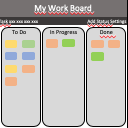
                        - Record Positive & Negative Conduct Points during lessons on a virtual 'board'.
- Whenever a point is awarded, the 'board' is shown on your projector for a few seconds.
- If a student gets 3 Negative Points in a Lesson, an email is sent to your school's behavior team (and CC'd to you).
- At the end of a Lesson, a scoreboard is shown on your projector which shows how many points students in this Class have scored so far.
- When it's time to save points into SIMS, Chrome Board groups awarded points together so you can enter the data as efficiently as possible: up to 10x faster than without the app.
Grundläggande Information om Tillägg
| Namn |  Chrome Board Chrome Board |
| ID | acmlfhajpjeaajhphbhlphejkffffbmo |
| Officiell webbadress | https://chrome.google.com/webstore/detail/chrome-board/acmlfhajpjeaajhphbhlphejkffffbmo |
| Beskrivning | Simple Behavior Management for Classrooms |
| Filstorlek | 34.36 KB |
| Antal Installationer | 84 |
| Aktuell Version | 1.6 |
| Senast Uppdaterad | 2015-06-08 |
| Publiceringsdatum | 2015-06-08 |
| Utvecklare | Edu Mission |
| Betalningssätt | free |
| Tilläggswebbplats | https://namesonboard.herokuapp.com |
| Stödda Språk | en |
| manifest.json | |
{
    "update_url": "https:\/\/clients2.google.com\/service\/update2\/crx",
    "manifest_version": 2,
    "name": "Chrome Board",
    "version": "1.6",
    "icons": {
        "16": "icons\/icon16.png",
        "32": "icons\/icon32.png",
        "48": "icons\/icon48.png",
        "128": "icons\/icon128.png"
    },
    "default_locale": "en",
    "description": "Simple Behavior Management for Classrooms",
    "author": "Edu Mission",
    "background": {
        "page": "background.html",
        "persistent": true
    },
    "content_scripts": [
        {
            "js": [
                "scripts\/contentscript.js"
            ],
            "matches": [
                "https:\/\/namesonboard.herokuapp.com\/*"
            ]
        }
    ],
    "permissions": [
        "tabs",
        "contentSettings",
        "storage",
        "background"
    ],
    "web_accessible_resources": [
        "scripts\/inject.js"
    ]
} | |