Portfolio Banners
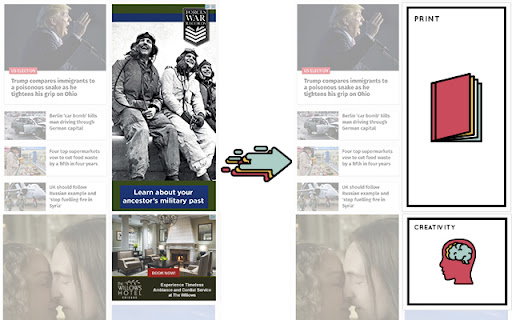
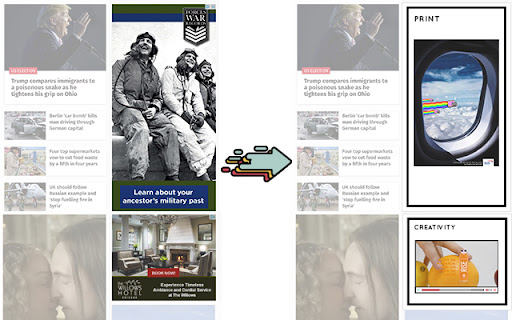
Portfolio Banners allows you to see advertising from Brother students instead of the bad advertising you usually find on Internet
Vad är Portfolio Banners?
Portfolio Banners är en Chrome-tillägg utvecklad av Brother Ad School, och dess huvudfunktion är "Portfolio Banners allows you to see advertising from Brother students instead of the bad advertising you usually find on Internet".
Tilläggsskärmbilder

Ladda ner Portfolio Banners-förlängningens CRX-fil
Ladda ner Portfolio Banners-filändelser i crx-format, installera Chrome-tillägg manuellt i webbläsaren eller dela crx-filerna med vänner för att enkelt installera Chrome-tillägg.
Användarmanual för Tillägg
                        Now, creative directors (it’s a tool for them, mostly) will be able to see portfolios without compromising their time.

This extension does:

- Swap all banner formats.
- Swap Google Adsense
- Hide spam
Grundläggande Information om Tillägg
| Namn |  Portfolio Banners Portfolio Banners |
| ID | bhnngdimlbmghlonhlbeldibdlekggeh |
| Officiell webbadress | https://chromewebstore.google.com/detail/portfolio-banners/bhnngdimlbmghlonhlbeldibdlekggeh |
| Beskrivning | Portfolio Banners allows you to see advertising from Brother students instead of the bad advertising you usually find on Internet |
| Filstorlek | 292 KB |
| Antal Installationer | 49 |
| Aktuell Version | 1.0.6 |
| Senast Uppdaterad | 2016-05-23 |
| Publiceringsdatum | 2016-05-23 |
| Betyg | 4.97/5 Totalt 29 Betyg |
| Utvecklare | Brother Ad School |
| Betalningssätt | free |
| Tilläggswebbplats | http://brotherad.com/portfoliobanners/ |
| Stödda Språk | en |
| manifest.json | |
{
    "update_url": "https:\/\/clients2.google.com\/service\/update2\/crx",
    "manifest_version": 2,
    "name": "Portfolio Banners",
    "version": "1.0.6",
    "description": "Portfolio Banners allows you to see advertising from Brother students instead of the bad advertising you usually find on Internet",
    "icons": {
        "16": "icon-16.png",
        "32": "icon-32.png",
        "48": "icon-48.png",
        "64": "icon-64.png",
        "128": "icon-128.png"
    },
    "browser_action": {
        "default_icon": {
            "19": "icon-19-disabled.png",
            "38": "icon-38-disabled.png"
        },
        "default_popup": "popup.html"
    },
    "content_scripts": [
        {
            "js": [
                "jquery.js",
                "contentscript.js"
            ],
            "matches": [
                "http:\/\/*\/*",
                "https:\/\/*\/*"
            ],
            "run_at": "document_start"
        }
    ],
    "background": {
        "scripts": [
            "jquery.js",
            "background.js"
        ]
    },
    "permissions": [
        "tabs",
        "background",
        "webRequest",
        "webRequestBlocking",
        "http:\/\/*\/*",
        "https:\/\/*\/*",
        "contextMenus"
    ]
} | |