Google Music Colorizer
Change the colors of your Google Play Music window.
Vad är Google Music Colorizer?
Google Music Colorizer är en Chrome-tillägg utvecklad av http://bugg.co, och dess huvudfunktion är "Change the colors of your Google Play Music window.".
Tilläggsskärmbilder
Ladda ner Google Music Colorizer-förlängningens CRX-fil
Ladda ner Google Music Colorizer-filändelser i crx-format, installera Chrome-tillägg manuellt i webbläsaren eller dela crx-filerna med vänner för att enkelt installera Chrome-tillägg.
Användarmanual för Tillägg
                        This extension allows you to:
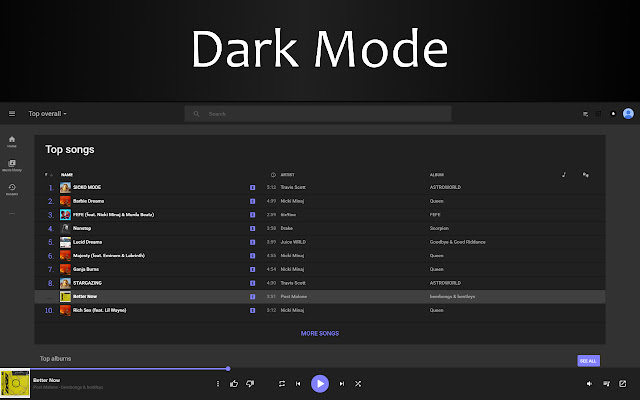
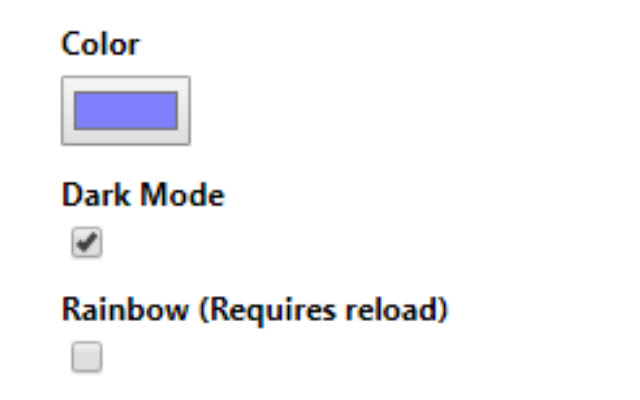
* Enable Dark mode on Google Play Music for less strain on the eyes
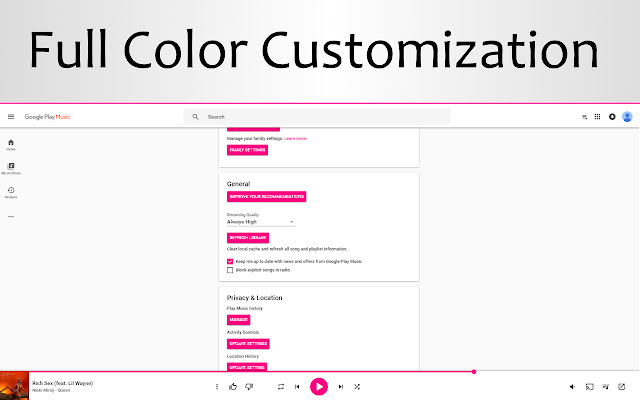
* Change your Google Play Music accent color to whatever you'd like to make it how you want it.
* Enable "Rainbow mode" for animated accent colors!
Grundläggande Information om Tillägg
| Namn |  Google Music Colorizer Google Music Colorizer |
| ID | ebkhhlmkbdchllbhfaeemhbdbgljmnlp |
| Officiell webbadress | https://chrome.google.com/webstore/detail/google-music-colorizer/ebkhhlmkbdchllbhfaeemhbdbgljmnlp |
| Beskrivning | Change the colors of your Google Play Music window. |
| Filstorlek | 153 KB |
| Antal Installationer | 34 |
| Aktuell Version | 1.0.1 |
| Senast Uppdaterad | 2018-08-19 |
| Publiceringsdatum | 2018-08-19 |
| Utvecklare | http://bugg.co |
| E-post | [email protected] |
| Betalningssätt | free |
| Tilläggswebbplats | https://bugg.co/ |
| URL till Sekretesspolicy Sidan | https://bugg.co/privacy.php |
| Stödda Språk | en |
| manifest.json | |
{
    "update_url": "https:\/\/clients2.google.com\/service\/update2\/crx",
    "manifest_version": 2,
    "name": "Google Music Colorizer",
    "version": "1.0.1",
    "description": "Change the colors of your Google Play Music window.",
    "author": "bugfroggy",
    "homepage_url": "https:\/\/bugg.co\/",
    "offline_enabled": true,
    "icons": {
        "16": "img\/logo-16.png",
        "19": "img\/logo-19.png",
        "48": "img\/logo-48.png",
        "64": "img\/logo-64.png",
        "128": "img\/logo-128.png"
    },
    "short_name": "GM Color",
    "background": {
        "scripts": [
            "background.js"
        ],
        "persistent": false
    },
    "permissions": [
        "storage",
        "declarativeContent",
        "activeTab",
        "https:\/\/play.google.com\/music\/listen"
    ],
    "content_scripts": [
        {
            "matches": [
                "https:\/\/play.google.com\/music\/listen*"
            ],
            "js": [
                "chroma.min.js",
                "target_data.js",
                "init.js"
            ]
        }
    ],
    "page_action": {
        "default_popup": "popup\/popup.html",
        "default_icon": {
            "16": "img\/logo-16.png",
            "19": "img\/logo-19.png",
            "48": "img\/logo-48.png",
            "64": "img\/logo-64.png",
            "128": "img\/logo-128.png"
        }
    }
} | |