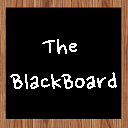
Whiteboard New Tab
Browse Chrome with a simple writeboard on every new tab
Vad är Whiteboard New Tab?
Whiteboard New Tab är en Chrome-tillägg utvecklad av GINetwork LTD, och dess huvudfunktion är "Browse Chrome with a simple writeboard on every new tab".
Tilläggsskärmbilder

Ladda ner Whiteboard New Tab-förlängningens CRX-fil
Ladda ner Whiteboard New Tab-filändelser i crx-format, installera Chrome-tillägg manuellt i webbläsaren eller dela crx-filerna med vänner för att enkelt installera Chrome-tillägg.
Användarmanual för Tillägg
                        *Free-form writing and drawing (using mouse or e-pen).
*Multiple brush sizes and colors.
*Work is saved between sessions.

By clicking "Add to chrome", I accept and agree to installing the Whiteboard New Tab Chrome extension and setting Chrome™ New Tab search to that provided by the service and the Terms of Use and Privacy Policy. The extension will update your search settings and will change your New Tab search services provided by Bing.

Terms of Service: https://www.ginetwork.co/whiteboard-new-tab-terms
Privacy Policy: https://www.ginetwork.co/whiteboard-new-tab-privacy
About Us: https://www.ginetwork.co/about
Contact Us:  https://www.ginetwork.co/contact
Grundläggande Information om Tillägg
| Namn |  Whiteboard New Tab Whiteboard New Tab |
| ID | edkebnkjabbndojcambndlmgmolbmaib |
| Officiell webbadress | https://chrome.google.com/webstore/detail/whiteboard-new-tab/edkebnkjabbndojcambndlmgmolbmaib |
| Beskrivning | Browse Chrome with a simple writeboard on every new tab |
| Filstorlek | 12.51 KB |
| Antal Installationer | 1,167 |
| Aktuell Version | 1.02 |
| Senast Uppdaterad | 2021-12-02 |
| Publiceringsdatum | 2021-10-21 |
| Betyg | 3.86/5 Totalt 7 Betyg |
| Utvecklare | GINetwork LTD |
| E-post | [email protected] |
| URL till Sekretesspolicy Sidan | https://www.ginetwork.co/privacy-policy |
| Stödda Språk | en-US |
| manifest.json | |
{
    "update_url": "https:\/\/clients2.google.com\/service\/update2\/crx",
    "manifest_version": 2,
    "version": "1.02",
    "name": "Whiteboard New Tab",
    "description": "Browse Chrome with a simple writeboard on every new tab",
    "chrome_url_overrides": {
        "newtab": "src\/newtab.html"
    },
    "icons": {
        "16": "icons\/16.png",
        "48": "icons\/48.png",
        "128": "icons\/128.png"
    },
    "browser_action": {
        "default_icon": "icons\/48.png"
    }
} | |