Cognizant Intelligent Test Scripter
Spy,Heal and Recorder Extension for Cognizant Intelligent Test Scripter
Vad är Cognizant Intelligent Test Scripter?
Cognizant Intelligent Test Scripter är en Chrome-tillägg utvecklad av https://cognizantqahub.github.io/Cognizant-Intelligent-Test-Scripter-Helpdoc, och dess huvudfunktion är "Spy,Heal and Recorder Extension for Cognizant Intelligent Test Scripter".
Tilläggsskärmbilder
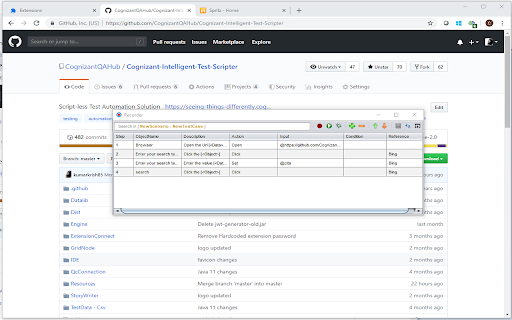
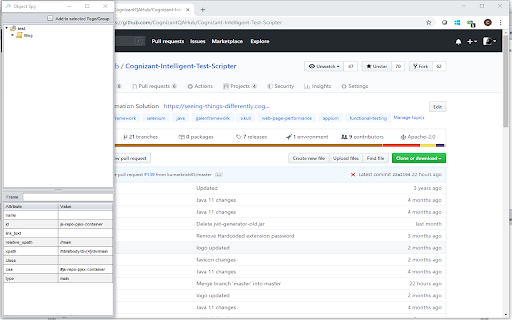
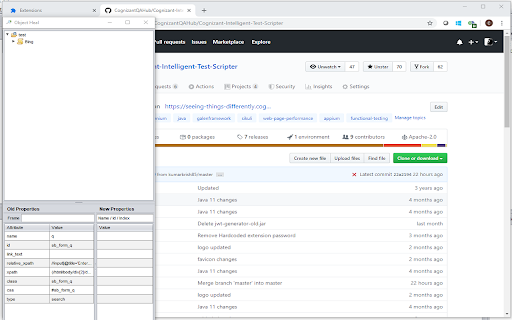
Ladda ner Cognizant Intelligent Test Scripter-förlängningens CRX-fil
Ladda ner Cognizant Intelligent Test Scripter-filändelser i crx-format, installera Chrome-tillägg manuellt i webbläsaren eller dela crx-filerna med vänner för att enkelt installera Chrome-tillägg.
Användarmanual för Tillägg
To automate web application in script less approach Grundläggande Information om Tillägg
| Namn |  Cognizant Intelligent Test Scripter Cognizant Intelligent Test Scripter |
| ID | eghfogfdhadandcigjcccdfhlohcgljn |
| Officiell webbadress | https://chromewebstore.google.com/detail/cognizant-intelligent-tes/eghfogfdhadandcigjcccdfhlohcgljn |
| Beskrivning | Spy,Heal and Recorder Extension for Cognizant Intelligent Test Scripter |
| Filstorlek | 178 KB |
| Antal Installationer | 1,606 |
| Aktuell Version | 0.0.0.5 |
| Senast Uppdaterad | 2022-07-28 |
| Publiceringsdatum | 2020-01-09 |
| Betyg | 4.75/5 Totalt 8 Betyg |
| Utvecklare | https://cognizantqahub.github.io/Cognizant-Intelligent-Test-Scripter-Helpdoc |
| E-post | [email protected] |
| Betalningssätt | free |
| Tilläggswebbplats | https://github.com/CognizantQAHub/Cognizant-Intelligent-Test-Scripter-Chrome-Extension/ |
| Hjälpsida URL | https://github.com/CognizantQAHub/Cognizant-Intelligent-Test-Scripter-Chrome-Extension/ |
| Stödda Språk | en |
| manifest.json | |
{
"update_url": "https:\/\/clients2.google.com\/service\/update2\/crx",
"manifest_version": 2,
"name": "Cognizant Intelligent Test Scripter",
"description": "Spy,Heal and Recorder Extension for Cognizant Intelligent Test Scripter",
"version": "0.0.0.5",
"icons": {
"16": "logo-16.png",
"32": "logo-32.png",
"64": "logo-64.png",
"128": "logo-128.png"
},
"options_ui": {
"page": "Options\/index.html",
"chrome_style": false,
"open_in_tab": true
},
"content_scripts": [
{
"matches": [
" | |