Auto Date Liker
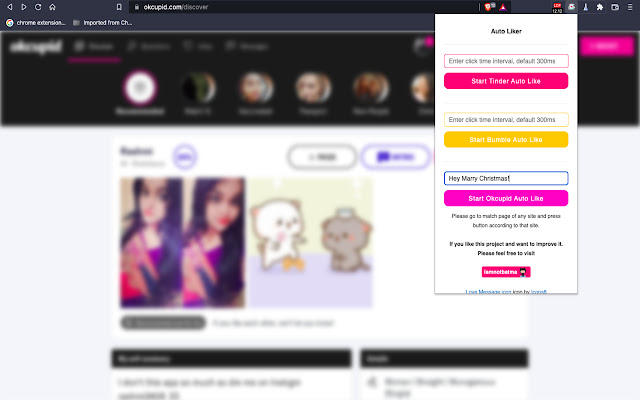
This extension is use to start auto like on Tinder, Bumble and OKCupid
Vad är Auto Date Liker?
Auto Date Liker är en Chrome-tillägg utvecklad av http://frankdating.com, och dess huvudfunktion är "This extension is use to start auto like on Tinder, Bumble and OKCupid".
Tilläggsskärmbilder


Ladda ner Auto Date Liker-förlängningens CRX-fil
Ladda ner Auto Date Liker-filändelser i crx-format, installera Chrome-tillägg manuellt i webbläsaren eller dela crx-filerna med vänner för att enkelt installera Chrome-tillägg.
Användarmanual för Tillägg
                        All three dating apps auto like at one place 😻.
Features :
1. Tinder ✌️ - Tinder auto like comes with custom interval likes (by default 300ms).
2. Bumble 🤞 - Bumble auto like comes with custom interval likes (by default 300ms).
2. Happn 🤞 - Happn auto like comes with custom interval likes (by default 1000ms).
3. Okcupid 🤟 - Okcupid auto like does more than just liking profile, It gives you flexibility to add your own intro message. (default pick-up line will be sent if message input is empty).

New Updates :
1. Added Happn auto like support
Grundläggande Information om Tillägg
| Namn |  Auto Date Liker Auto Date Liker |
| ID | epbgmgeiekbemgmnhngpmefkdchajakn |
| Officiell webbadress | https://chrome.google.com/webstore/detail/auto-date-liker/epbgmgeiekbemgmnhngpmefkdchajakn |
| Beskrivning | This extension is use to start auto like on Tinder, Bumble and OKCupid |
| Filstorlek | 60.23 KB |
| Antal Installationer | 501 |
| Aktuell Version | 3.0 |
| Senast Uppdaterad | 2023-03-04 |
| Publiceringsdatum | 2020-05-06 |
| Betyg | 4.11/5 Totalt 9 Betyg |
| Utvecklare | http://frankdating.com |
| E-post | [email protected] |
| Betalningssätt | free |
| Tilläggswebbplats | https://frankdating.com |
| Hjälpsida URL | https://frankdating.com |
| Stödda Språk | en |
| manifest.json | |
{
"update_url": "https:\/\/clients2.google.com\/service\/update2\/crx",
"name": "Auto Date Liker",
"version": "3.0",
"description": "This extension is use to start auto like on Tinder, Bumble and OKCupid",
"manifest_version": 3,
"minimum_chrome_version": "88",
"permissions": [
"activeTab"
],
"content_scripts": [
{
"matches": [
" | |