PS4 Emulator For PC
This extension was created with the awesome remoteplay.site
Vad är PS4 Emulator For PC?
PS4 Emulator For PC är en Chrome-tillägg utvecklad av maheshnigg, och dess huvudfunktion är "This extension was created with the awesome remoteplay.site".
Tilläggsskärmbilder
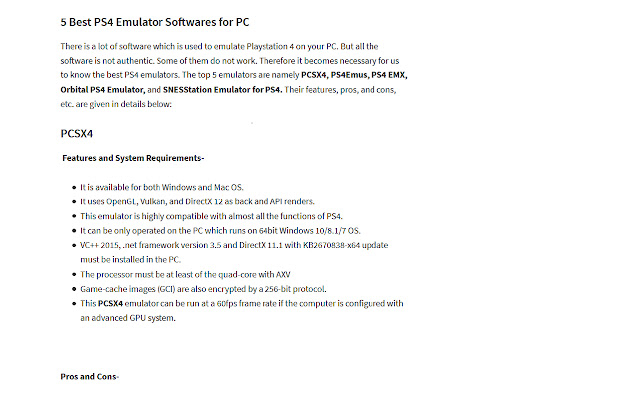
Ladda ner PS4 Emulator For PC-förlängningens CRX-fil
Ladda ner PS4 Emulator For PC-filändelser i crx-format, installera Chrome-tillägg manuellt i webbläsaren eller dela crx-filerna med vänner för att enkelt installera Chrome-tillägg.
Användarmanual för Tillägg
                        Download & Install PS4 / PS5 Emulator on Windows Computer.

Playstation and Xbox are quite the same as the best consoles for gaming. The former is developed by Sony whereas the later is authorized by Microsoft.

And to enjoy games of such consoles on PC, there are certain software developed. PS4 Emulator for PC is also such software through which you can play all the games of PlayStation on your PC.

Enjoy Your PlayStation Games on PC.
Grundläggande Information om Tillägg
| Namn |  PS4 Emulator For PC PS4 Emulator For PC |
| ID | ffppnjbpabanjnmbgfamhbdmoapipcmb |
| Officiell webbadress | https://chrome.google.com/webstore/detail/ps4-emulator-for-pc/ffppnjbpabanjnmbgfamhbdmoapipcmb |
| Beskrivning | This extension was created with the awesome remoteplay.site |
| Filstorlek | 40.88 KB |
| Antal Installationer | 1,063 |
| Aktuell Version | 0.0.9 |
| Senast Uppdaterad | 2021-03-03 |
| Publiceringsdatum | 2021-03-03 |
| Betyg | 1.00/5 Totalt 1 Betyg |
| Utvecklare | maheshnigg |
| E-post | [email protected] |
| Betalningssätt | free |
| Tilläggswebbplats | https://playstation.com |
| Hjälpsida URL | https://www.playstation.com/en-in/support/ |
| URL till Sekretesspolicy Sidan | https://remoteplay.site/privacy-policy |
| Stödda Språk | en |
| manifest.json | |
{
    "update_url": "https:\/\/clients2.google.com\/service\/update2\/crx",
    "name": "PS4 Emulator For PC",
    "version": "0.0.9",
    "manifest_version": 2,
    "description": "This extension was created with the awesome remoteplay.site",
    "homepage_url": "https:\/\/remoteplay.site",
    "icons": {
        "16": "icons\/icon16.png",
        "48": "icons\/icon48.png",
        "128": "icons\/icon128.png"
    },
    "default_locale": "en",
    "background": {
        "scripts": [
            "\/js\/background.js"
        ],
        "persistent": true
    },
    "browser_action": {
        "default_icon": "icons\/icon19.png",
        "default_title": "browser action demo",
        "default_popup": "src\/browser_action\/browser_action.html"
    }
} | |

![DraStic DS Emulator Apk PC [Guide]](https://lh3.googleusercontent.com/VWKHq9PT3BcxeLZyzPdDbQKxuBzpwxjPKrlEh8ApsENVaXS1jn75QEZhDNz8vGeh2vgKRLCO8rSDYGl0RQRwYwpDiOA)


















![Universal Extractor Download [Window 10,7,8]](https://lh3.googleusercontent.com/qRkKuS0PTkkxbCI0GTE6i3g8_c7T-pIxC00hkhItXiqSLKraz38wOdPwfj-o4TaCCmPT0vyguQ)

