Image Data
Show image resolution, file type, and file size on mouse over
Vad är Image Data?
Image Data är en Chrome-tillägg utvecklad av cubeleco, och dess huvudfunktion är "Show image resolution, file type, and file size on mouse over".
Tilläggsskärmbilder
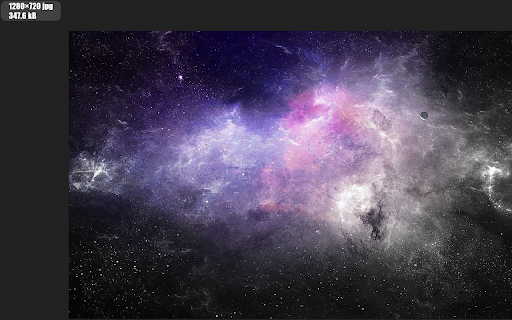
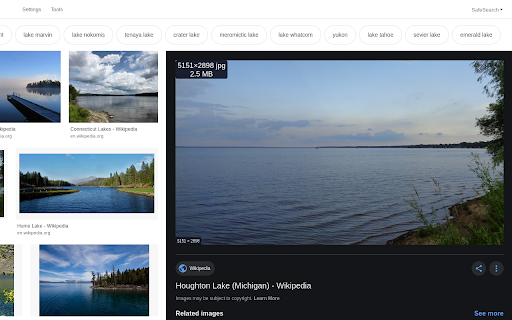

Ladda ner Image Data-förlängningens CRX-fil
Ladda ner Image Data-filändelser i crx-format, installera Chrome-tillägg manuellt i webbläsaren eller dela crx-filerna med vänner för att enkelt installera Chrome-tillägg.
Användarmanual för Tillägg
                        Features:
- Display an image's: resolution, scaled resolution, file name, file type, file size, alt text, mime type, domain, pixel total, modification date
- Works with images on a webpage, in a new tab, and even local files
- 6 position settings: over, before, or after the image, fixed, follow cursor, or tool tip
- Keyboard shortcuts and toolbar button to easily enable or disable the add-on
- Display of data fully customizable with CSS

Permission: Access your data for all websites - Used to read and display image data on a web page.
Grundläggande Information om Tillägg
| Namn |  Image Data Image Data |
| ID | flongcohgnjdaopgebimagfmcaepbopn |
| Officiell webbadress | https://chromewebstore.google.com/detail/image-data/flongcohgnjdaopgebimagfmcaepbopn |
| Beskrivning | Show image resolution, file type, and file size on mouse over |
| Filstorlek | 19.66 KB |
| Antal Installationer | 410 |
| Aktuell Version | 2.6.2 |
| Senast Uppdaterad | 2023-03-23 |
| Publiceringsdatum | 2020-05-21 |
| Betyg | 3.00/5 Totalt 1 Betyg |
| Utvecklare | cubeleco |
| E-post | [email protected] |
| Betalningssätt | free |
| Tilläggswebbplats | https://github.com/cubeleco/imageData |
| Hjälpsida URL | https://github.com/cubeleco/imageData/issues |
| Stödda Språk | en |
| manifest.json | |
{
"update_url": "https:\/\/clients2.google.com\/service\/update2\/crx",
"manifest_version": 3,
"name": "Image Data",
"version": "2.6.2",
"description": "Show image resolution, file type, and file size on mouse over",
"browser_specific_settings": {
"gecko": {
"id": "{b8ecb56e-f778-4df4-962a-52974b36abdd}",
"strict_min_version": "48.0"
}
},
"action": {
"default_icon": {
"48": "icons\/thumb-48.png"
}
},
"icons": {
"48": "icons\/thumb-48.png"
},
"commands": {
"_execute_action": {
"description": "Toggle Display"
}
},
"background": {
"service_worker": "background.js"
},
"content_scripts": [
{
"matches": [
" | |