Tickertape exporter
Export tickertape screener table to a csv file
Vad är Tickertape exporter?
Tickertape exporter är en Chrome-tillägg utvecklad av anirvan.mandal, och dess huvudfunktion är "Export tickertape screener table to a csv file".
Tilläggsskärmbilder
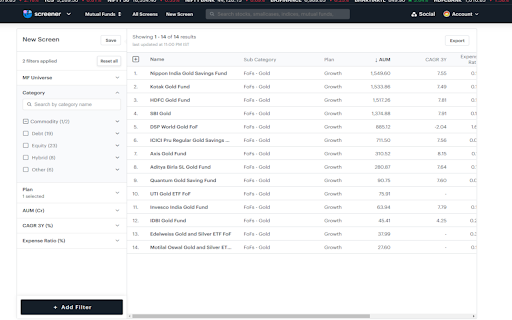

Ladda ner Tickertape exporter-förlängningens CRX-fil
Ladda ner Tickertape exporter-filändelser i crx-format, installera Chrome-tillägg manuellt i webbläsaren eller dela crx-filerna med vänner för att enkelt installera Chrome-tillägg.
Användarmanual för Tillägg
                        Allows users to download the Tickertape Screener table data to a CSV file. Helps in analysing the different stocks, mutual funds available in the market.


Note: Paid screener users will not be able to use this version 1.0 of the plugin as it will overwrite the export button functionality
Grundläggande Information om Tillägg
| Namn |  Tickertape exporter Tickertape exporter |
| ID | heijmlobndihkkpaidbhofckhdbhinma |
| Officiell webbadress | https://chromewebstore.google.com/detail/tickertape-exporter/heijmlobndihkkpaidbhofckhdbhinma |
| Beskrivning | Export tickertape screener table to a csv file |
| Filstorlek | 26.51 KB |
| Antal Installationer | 164 |
| Aktuell Version | 1.1.0 |
| Senast Uppdaterad | 2023-06-01 |
| Publiceringsdatum | 2023-06-01 |
| Betyg | 2.00/5 Totalt 1 Betyg |
| Utvecklare | anirvan.mandal |
| E-post | [email protected] |
| Betalningssätt | free |
| Tilläggswebbplats | https://github.com/anirvanmandal/tickertape-exporter |
| Hjälpsida URL | https://github.com/anirvanmandal/tickertape-exporter/issues |
| Stödda Språk | en |
| manifest.json | |
{
    "update_url": "https:\/\/clients2.google.com\/service\/update2\/crx",
    "manifest_version": 3,
    "name": "Tickertape exporter",
    "description": "Export tickertape screener table to a csv file",
    "version": "1.1.0",
    "icons": {
        "16": "\/src\/images\/logo_16.png",
        "32": "\/src\/images\/logo_32.png",
        "48": "\/src\/images\/logo_48.png",
        "128": "\/src\/images\/logo_128.png"
    },
    "content_scripts": [
        {
            "matches": [
                "https:\/\/www.tickertape.in\/screener\/*"
            ],
            "css": [],
            "js": [
                "\/src\/content-script.js"
            ],
            "run_at": "document_idle"
        }
    ]
} | |