Beautiful Digital Clock with Greetings
A beautiful new tab page that displays a digital 12-hour format clock.
Vad är Beautiful Digital Clock with Greetings?
Beautiful Digital Clock with Greetings är en Chrome-tillägg utvecklad av Naruth Kongurai, och dess huvudfunktion är "A beautiful new tab page that displays a digital 12-hour format clock.".
Tilläggsskärmbilder

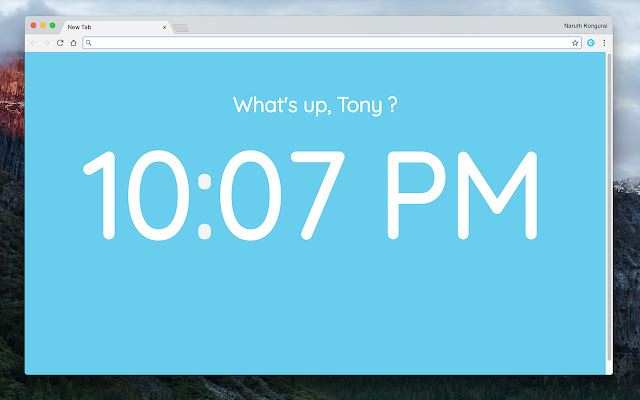
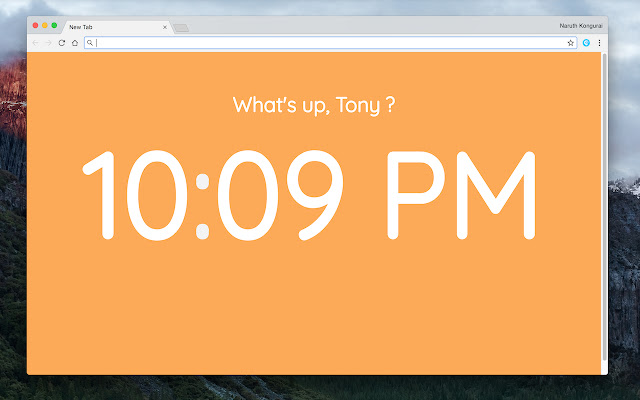
Ladda ner Beautiful Digital Clock with Greetings-förlängningens CRX-fil
Ladda ner Beautiful Digital Clock with Greetings-filändelser i crx-format, installera Chrome-tillägg manuellt i webbläsaren eller dela crx-filerna med vänner för att enkelt installera Chrome-tillägg.
Användarmanual för Tillägg
                        Are you bored of your current New Tab page? Why don't you try out this beautiful color-changing New Tab page? Whenever you launch a new tab, a digital clock is displayed. And the background slowly changes from one bright color to another.

It's a wonderful and simple page made to delight and enhance your browsing experience!
Grundläggande Information om Tillägg
| Namn |  Beautiful Digital Clock with Greetings Beautiful Digital Clock with Greetings |
| ID | jdnjafgehddcpoahelddbflpmoeinaed |
| Officiell webbadress | https://chrome.google.com/webstore/detail/beautiful-digital-clock-w/jdnjafgehddcpoahelddbflpmoeinaed |
| Beskrivning | A beautiful new tab page that displays a digital 12-hour format clock. |
| Filstorlek | 55.11 KB |
| Antal Installationer | 83 |
| Aktuell Version | 1.0 |
| Senast Uppdaterad | 2018-09-25 |
| Publiceringsdatum | 2018-09-25 |
| Betyg | 5.00/5 Totalt 1 Betyg |
| Utvecklare | Naruth Kongurai |
| E-post | [email protected] |
| Betalningssätt | free |
| Tilläggswebbplats | https://www.naruthk.com |
| Stödda Språk | en |
| manifest.json | |
{
    "update_url": "https:\/\/clients2.google.com\/service\/update2\/crx",
    "manifest_version": 2,
    "name": "Beautiful Digital Clock with Greetings",
    "short_name": "Digital Clock",
    "description": "A beautiful new tab page that displays a digital 12-hour format clock.",
    "version": "1.0",
    "author": "Naruth Kongurai",
    "permissions": [
        "management",
        "storage"
    ],
    "chrome_url_overrides": {
        "newtab": "newtab.html"
    },
    "browser_action": {
        "default_icon": "icon.png",
        "default_popup": "popup.html"
    },
    "icons": {
        "16": "icon.png",
        "48": "icon-48.png",
        "128": "icon-128.png"
    }
} | |