Ali Express
Scrapping content of Ali baba Express
Vad är Ali Express?
Ali Express är en Chrome-tillägg utvecklad av Unknown, och dess huvudfunktion är "Scrapping content of Ali baba Express".
Tilläggsskärmbilder
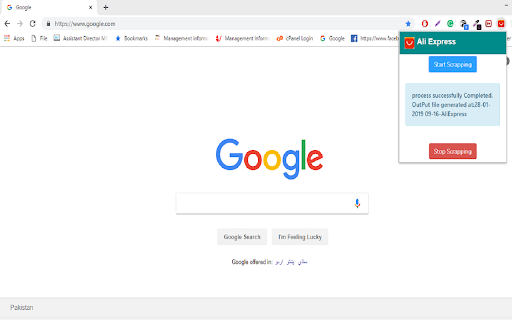
Ladda ner Ali Express-förlängningens CRX-fil
Ladda ner Ali Express-filändelser i crx-format, installera Chrome-tillägg manuellt i webbläsaren eller dela crx-filerna med vänner för att enkelt installera Chrome-tillägg.
Användarmanual för Tillägg
                        Ali Expression Extension:

This extension is developed for scrapping the contents of products or items for sepecific categories from Ali Express online store.

How it Works?

-> Just go to the https://aliexpress.com and choose a category of products you want to grab .
-> And click on the icon of extension and click button "Start Scrapping". It will start scrapping content of page.
-> Finally it will export all the grabbed content into an Excel file on your computer.

Pre-Requisites?

Ali Express package which should be download and install on your machine before chrome extension is installed.
Grundläggande Information om Tillägg
| Namn |  Ali Express Ali Express |
| ID | klhjbmmmpjmkceakjcihegpakepffmdj |
| Officiell webbadress | https://chromewebstore.google.com/detail/ali-express/klhjbmmmpjmkceakjcihegpakepffmdj |
| Beskrivning | Scrapping content of Ali baba Express |
| Filstorlek | 180 KB |
| Antal Installationer | 429 |
| Aktuell Version | 0.0.0.1 |
| Senast Uppdaterad | 2019-01-28 |
| Publiceringsdatum | 2019-01-27 |
| Utvecklare | Unknown |
| Betalningssätt | free |
| Stödda Språk | en |
| manifest.json | |
{
    "update_url": "https:\/\/clients2.google.com\/service\/update2\/crx",
    "name": "Ali Express",
    "description": "Scrapping content of Ali baba Express",
    "version": "0.0.0.1",
    "permissions": [
        "tabs",
        "nativeMessaging"
    ],
    "background": {
        "scripts": [
            "popup.js"
        ],
        "persistent": false
    },
    "browser_action": {
        "default_icon": "img\/aliexpress.png",
        "default_title": "Scrapping Content:",
        "default_popup": "popup.html"
    },
    "manifest_version": 2
} | |