Picture Downloader
Picture Downloader. Browse and save - image downloader on webpages.
Vad är Picture Downloader?
Picture Downloader är en Chrome-tillägg utvecklad av Picture Downloader, och dess huvudfunktion är "Picture Downloader. Browse and save - image downloader on webpages.".
Tilläggsskärmbilder
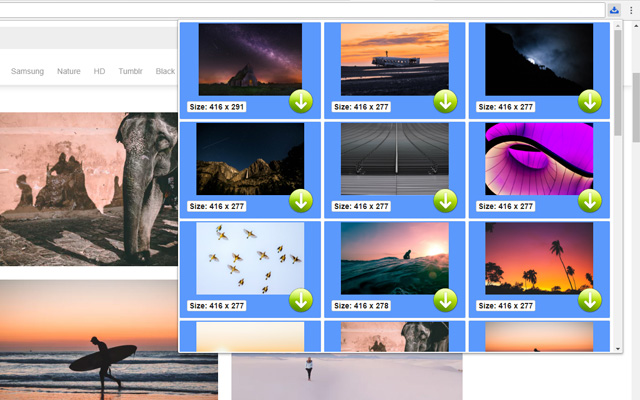
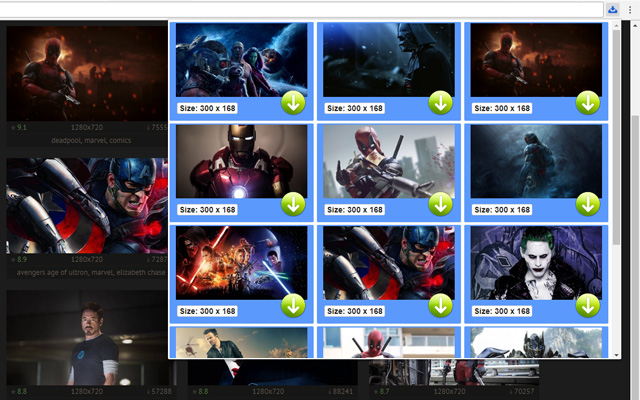

Ladda ner Picture Downloader-förlängningens CRX-fil
Ladda ner Picture Downloader-filändelser i crx-format, installera Chrome-tillägg manuellt i webbläsaren eller dela crx-filerna med vänner för att enkelt installera Chrome-tillägg.
Användarmanual för Tillägg
                        Picture Downloader is useful tool for displaying, browsing and downloading photos from any webpages.

* Finds pictures on any websites.
* The size of each image is displayed.
* Image download to your hard disk.

How it works
************
* Click to the icon on current webpage.
* Here you can start downloading.

Fast and professional Picture Downloader for all users.
Grundläggande Information om Tillägg
| Namn |  Picture Downloader Picture Downloader |
| ID | kokbcpaapofnbifgdlmokekjphgdlphp |
| Officiell webbadress | https://chrome.google.com/webstore/detail/picture-downloader/kokbcpaapofnbifgdlmokekjphgdlphp |
| Beskrivning | Picture Downloader. Browse and save - image downloader on webpages. |
| Filstorlek | 91.22 KB |
| Antal Installationer | 8,193 |
| Aktuell Version | 1.2.2 |
| Senast Uppdaterad | 2022-11-27 |
| Publiceringsdatum | 2020-03-11 |
| Betyg | 2.79/5 Totalt 29 Betyg |
| Utvecklare | Picture Downloader |
| E-post | [email protected] |
| Betalningssätt | free |
| Stödda Språk | en |
| manifest.json | |
{
"update_url": "https:\/\/clients2.google.com\/service\/update2\/crx",
"version": "1.2.2",
"name": "Picture Downloader",
"description": "Picture Downloader. Browse and save - image downloader on webpages.",
"background": {
"scripts": [
"jquery.js",
"background.js"
]
},
"browser_action": {
"default_icon": "img\/ico_19.png",
"default_popup": "popup.html"
},
"content_security_policy": "script-src 'self'; object-src 'self'",
"icons": {
"128": "img\/ico_128.png",
"16": "img\/ico_16.png",
"48": "img\/ico_48.png"
},
"manifest_version": 2,
"permissions": [
"activeTab",
" | |