Write, Me
A program to help inspiring writers.
Vad är Write, Me?
Write, Me är en Chrome-tillägg utvecklad av Nicholas Jensen, och dess huvudfunktion är "A program to help inspiring writers.".
Tilläggsskärmbilder


Ladda ner Write, Me-förlängningens CRX-fil
Ladda ner Write, Me-filändelser i crx-format, installera Chrome-tillägg manuellt i webbläsaren eller dela crx-filerna med vänner för att enkelt installera Chrome-tillägg.
Användarmanual för Tillägg
                        Writing can be difficult, even for seasoned writers.

Write, Me helps you write throughout your work day. You won't lose a single creative thought with this powerful tool at a click of the mouse.

★ Save and work on multiple stories

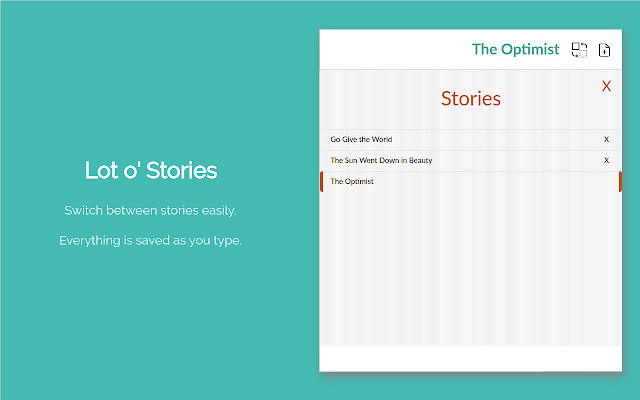
Switch between stories easily. Everything is saved as you type.

★ Stories are saved locally in your browser

Everything is saved in your browser until you are ready to send it out to your friends or editor!

★ Easily import and export your stories

Import and export in word format for extended formatting. Backups are saved in JSON format, so you'll never lose your work.
Grundläggande Information om Tillägg
| Namn |  Write, Me Write, Me |
| ID | lmmmkbcakpjoommojkbhkfhokhpbppcb |
| Officiell webbadress | https://chrome.google.com/webstore/detail/write-me/lmmmkbcakpjoommojkbhkfhokhpbppcb |
| Beskrivning | A program to help inspiring writers. |
| Filstorlek | 2.04 MB |
| Antal Installationer | 112 |
| Aktuell Version | 1.2.0 |
| Senast Uppdaterad | 2020-08-24 |
| Publiceringsdatum | 2020-07-15 |
| Utvecklare | Nicholas Jensen |
| E-post | [email protected] |
| Betalningssätt | free |
| Stödda Språk | en |
| manifest.json | |
{
    "update_url": "https:\/\/clients2.google.com\/service\/update2\/crx",
    "name": "__MSG_extension_name__",
    "version": "1.2.0",
    "manifest_version": 2,
    "description": "__MSG_extension_description__",
    "author": "__MSG_extension_author__",
    "icons": {
        "16": "icons\/icon-16.png",
        "32": "icons\/icon-32.png",
        "48": "icons\/icon-48.png",
        "64": "icons\/icon-64.png",
        "128": "icons\/icon-128.png"
    },
    "default_locale": "en",
    "permissions": [
        "storage",
        "downloads"
    ],
    "background": {
        "persistent": false,
        "scripts": [
            "javascript\/page-background.bundle.js"
        ]
    },
    "browser_action": {
        "default_icon": "icons\/icon-128.png",
        "default_title": "__MSG_extension_name__"
    },
    "commands": {
        "_execute_browser_action": {
            "suggested_key": {
                "windows": "Alt+S",
                "mac": "Alt+S",
                "chromeos": "Alt+S",
                "linux": "Alt+S"
            }
        }
    }
} | |