Tab Knight
This extension gives you shortcut to so many browser options
Vad är Tab Knight?
Tab Knight är en Chrome-tillägg utvecklad av Pavan Ebbadi, och dess huvudfunktion är "This extension gives you shortcut to so many browser options".
Tilläggsskärmbilder
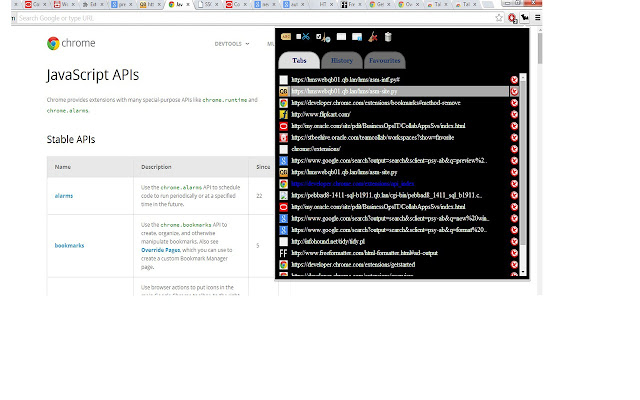
Ladda ner Tab Knight-förlängningens CRX-fil
Ladda ner Tab Knight-filändelser i crx-format, installera Chrome-tillägg manuellt i webbläsaren eller dela crx-filerna med vänner för att enkelt installera Chrome-tillägg.
Användarmanual för Tillägg
                        This is an extension where you can find quick links to all your opened Tabs, history, bookmarks. U can also perform operations on them like navigating between the tabs, closing a tab, opening a history/bookmark on a new tab , deleting an history/bookmark. Also you can find settings bar on top of the pop to clear complete history,cache ,open incognito window etc.

I initially developed this for myself to navigate between tabs as i open too many of them later added few more features and uploaded it here. So any suggestions ,feedback or if you find any bug please share it with me.


If you have any queries or issues mail it to [email protected]

Demo Link https://www.youtube.com/watch?v=tFmOSNc5QVE&feature=youtu.be
Hope you find this plugin useful.
Grundläggande Information om Tillägg
| Namn |  Tab Knight Tab Knight |
| ID | mabkhheaeaegggfmcdabmhfnppnmcbhk |
| Officiell webbadress | https://chrome.google.com/webstore/detail/tab-knight/mabkhheaeaegggfmcdabmhfnppnmcbhk |
| Beskrivning | This extension gives you shortcut to so many browser options |
| Filstorlek | 365 KB |
| Antal Installationer | 670 |
| Aktuell Version | 2.0.2 |
| Senast Uppdaterad | 2015-02-17 |
| Publiceringsdatum | 2015-02-17 |
| Betyg | 4.80/5 Totalt 25 Betyg |
| Utvecklare | Pavan Ebbadi |
| Betalningssätt | free |
| Stödda Språk | en |
| manifest.json | |
{
    "update_url": "https:\/\/clients2.google.com\/service\/update2\/crx",
    "manifest_version": 2,
    "name": "Tab Knight",
    "description": "This extension gives you shortcut to so many browser options",
    "version": "2.0.2",
    "permissions": [
        "management",
        "tabs",
        "debugger",
        "history",
        "bookmarks",
        "browsingData",
        "sessions",
        "contextMenus",
        "chrome:\/\/favicon\/",
        "storage"
    ],
    "background": {
        "scripts": [
            "background.js"
        ],
        "persistent": true
    },
    "icons": {
        "16": "tab_knight_icon16x16.png"
    },
    "browser_action": {
        "default_icon": "tab_knight_icon.png",
        "default_popup": "popup.html"
    }
} | |