Site Viewer
Crawl/View a website for Pages, Links, Files and Media.
Vad är Site Viewer?
Site Viewer är en Chrome-tillägg utvecklad av Randy Bimm [Bimmr], och dess huvudfunktion är "Crawl/View a website for Pages, Links, Files and Media.".
Tilläggsskärmbilder


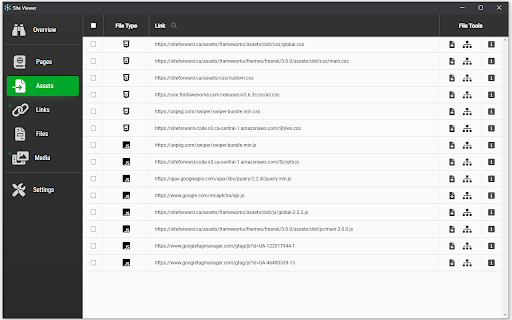

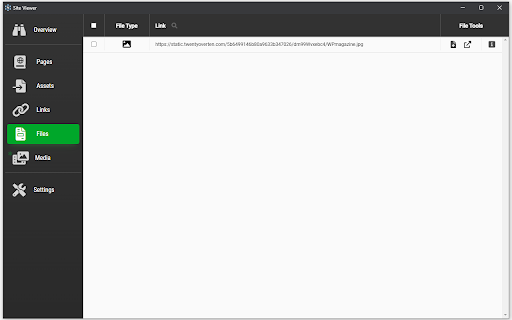

Ladda ner Site Viewer-förlängningens CRX-fil
Ladda ner Site Viewer-filändelser i crx-format, installera Chrome-tillägg manuellt i webbläsaren eller dela crx-filerna med vänner för att enkelt installera Chrome-tillägg.
Användarmanual för Tillägg
                        Crawl and/or view a website's pages, links, assets, files, and media all in one location.

Some additional features:
- Download images and pages with the option of combining the page and all on page scripts, styles, and images into a single html file
- View instances of links, and test to make sure they go to valid pages
- Inspect a single page or the whole website to see what links, assets, and media can be found
Grundläggande Information om Tillägg
| Namn |  Site Viewer Site Viewer |
| ID | mdfpgagpgpfpniapmdlomamlkameioom |
| Officiell webbadress | https://chromewebstore.google.com/detail/site-viewer/mdfpgagpgpfpniapmdlomamlkameioom |
| Beskrivning | Crawl/View a website for Pages, Links, Files and Media. |
| Filstorlek | 34.37 KB |
| Antal Installationer | 258 |
| Aktuell Version | 0.4.1 |
| Senast Uppdaterad | 2022-12-20 |
| Publiceringsdatum | 2021-11-30 |
| Utvecklare | Randy Bimm [Bimmr] |
| E-post | [email protected] |
| Betalningssätt | free |
| Stödda Språk | en |
| manifest.json | |
{
    "update_url": "https:\/\/clients2.google.com\/service\/update2\/crx",
    "name": "Site Viewer",
    "short_name": "Site Viewer",
    "version": "0.4.1",
    "description": "Crawl\/View a website for Pages, Links, Files and Media.",
    "manifest_version": 3,
    "options_ui": {
        "page": "setup\/options.html",
        "open_in_tab": false
    },
    "background": {
        "service_worker": "setup\/background.js"
    },
    "permissions": [
        "activeTab",
        "storage",
        "downloads"
    ],
    "action": {
        "default_popup": "setup\/popup.html",
        "default_icon": {
            "64": "icons\/icon-64.png",
            "32": "icons\/icon-32.png",
            "16": "icons\/icon-16.png"
        }
    },
    "icons": {
        "64": "icons\/icon-64.png",
        "32": "icons\/icon-32.png",
        "16": "icons\/icon-16.png"
    }
} | |