Moodle Notifier
Get desktop notifications from Moodle for assignments, quizzes and forum posts.
Vad är Moodle Notifier?
Moodle Notifier är en Chrome-tillägg utvecklad av Kasun Fernando, och dess huvudfunktion är "Get desktop notifications from Moodle for assignments, quizzes and forum posts.".
Tilläggsskärmbilder

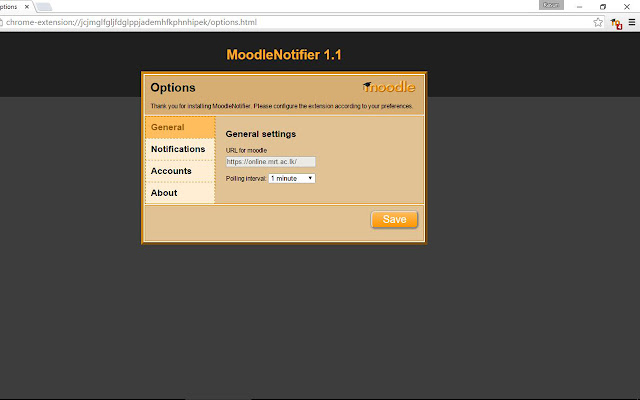
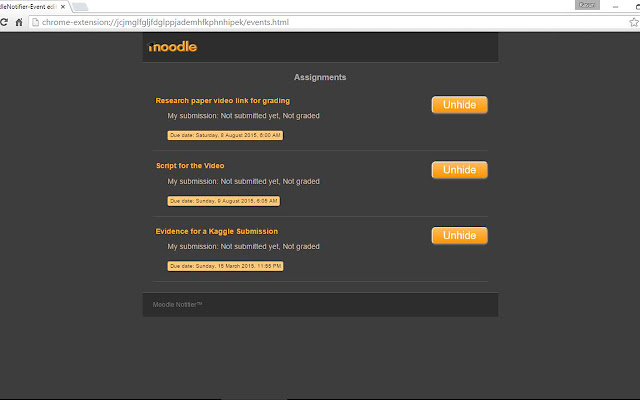
Ladda ner Moodle Notifier-förlängningens CRX-fil
Ladda ner Moodle Notifier-filändelser i crx-format, installera Chrome-tillägg manuellt i webbläsaren eller dela crx-filerna med vänner för att enkelt installera Chrome-tillägg.
Användarmanual för Tillägg
                        Moodle Notifier is an extension for Google Chrome web browser which is capable of notifying upcoming events of the Moodle system. Moodle Notifier will be very useful for the students of any institute or university which uses the Moodle System. This will prevent students from forgetting deadlines as this extension notifies upcoming events whenever the Chrome web browser is started up.

This version is specially designed only for Moodle system of University of Moratuwa.
This works only with Moodle 2.7
Grundläggande Information om Tillägg
| Namn |  Moodle Notifier Moodle Notifier |
| ID | nbelobdcgpmogpfkfhmijmobgdcdkgej |
| Officiell webbadress | https://chrome.google.com/webstore/detail/moodle-notifier/nbelobdcgpmogpfkfhmijmobgdcdkgej |
| Beskrivning | Get desktop notifications from Moodle for assignments, quizzes and forum posts. |
| Filstorlek | 407 KB |
| Antal Installationer | 4,000 |
| Aktuell Version | 1.2 |
| Senast Uppdaterad | 2016-04-12 |
| Publiceringsdatum | 2016-04-12 |
| Betyg | 4.33/5 Totalt 24 Betyg |
| Utvecklare | Kasun Fernando |
| E-post | [email protected] |
| Betalningssätt | free |
| Stödda Språk | en |
| manifest.json | |
{
    "update_url": "https:\/\/clients2.google.com\/service\/update2\/crx",
    "manifest_version": 2,
    "name": "Moodle Notifier",
    "version": "1.2",
    "description": "Get desktop notifications from Moodle for assignments, quizzes and forum posts.",
    "icons": {
        "16": "img\/icon16.png",
        "48": "img\/icon48.png",
        "128": "img\/icon128.png"
    },
    "browser_action": {
        "default_icon": "img\/icon_sleep.png",
        "default_title": "MoodleNotifier",
        "default_popup": "popup.html"
    },
    "background": {
        "page": "background.html"
    },
    "options_page": "options.html",
    "permissions": [
        "notifications",
        "tabs",
        "alarms",
        "storage",
        "http:\/\/online.mrt.ac.lk\/*",
        "https:\/\/online.mrt.ac.lk\/*"
    ]
} | |