CLV Wallet
A Polkadot/Ethereum Wallet in your Browser
Vad är CLV Wallet?
CLV Wallet är en Chrome-tillägg utvecklad av https://clover.finance, och dess huvudfunktion är "A Polkadot/Ethereum Wallet in your Browser".
Tilläggsskärmbilder
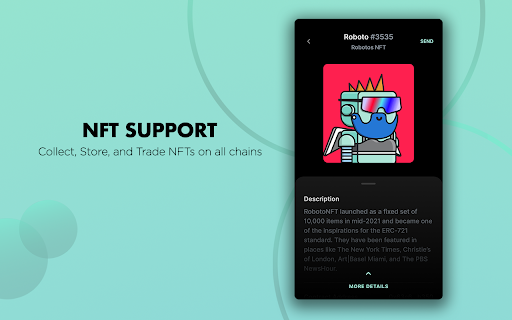

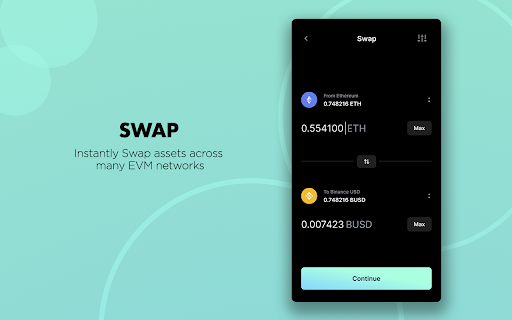
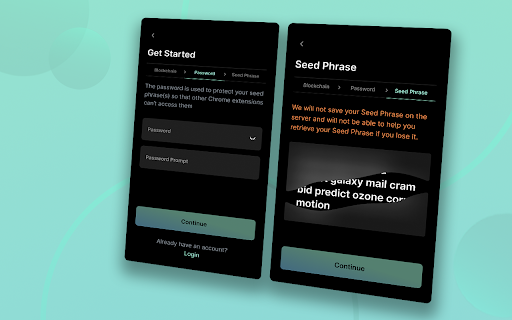


Ladda ner CLV Wallet-förlängningens CRX-fil
Ladda ner CLV Wallet-filändelser i crx-format, installera Chrome-tillägg manuellt i webbläsaren eller dela crx-filerna med vänner för att enkelt installera Chrome-tillägg.
Användarmanual för Tillägg
CLV Wallet is an open-source multi currency wallet that lives in your browser. Interact with cross-chain DeFi applications without needing to switch between networks in an all-in one streamlined interface. Send, receive, wrap and unwrap cross-chain assets across Ethereum, Polkadot and Binance Smart Chain. Entirely non-custodial and free to use. Grundläggande Information om Tillägg
| Namn |  CLV Wallet CLV Wallet |
| ID | nhnkbkgjikgcigadomkphalanndcapjk |
| Officiell webbadress | https://chromewebstore.google.com/detail/clv-wallet/nhnkbkgjikgcigadomkphalanndcapjk |
| Beskrivning | A Polkadot/Ethereum Wallet in your Browser |
| Filstorlek | 21.96 MB |
| Antal Installationer | 62,841 |
| Aktuell Version | 6.3.4 |
| Senast Uppdaterad | 2023-08-29 |
| Publiceringsdatum | 2021-03-06 |
| Betyg | 3.05/5 Totalt 303 Betyg |
| Utvecklare | https://clover.finance |
| E-post | [email protected] |
| Betalningssätt | free |
| Tilläggswebbplats | https://clover.finance |
| URL till Sekretesspolicy Sidan | https://agreement.clover.finance/privacy.html |
| Stödda Språk | de,en,fr,vi,tr,es,ru,zh-CN,ja,ko |
| manifest.json | |
{
"update_url": "https:\/\/clients2.google.com\/service\/update2\/crx",
"action": {
"default_icon": {
"16": "images\/manifest\/icon1-16.png",
"19": "images\/manifest\/icon1-19.png",
"32": "images\/manifest\/icon1-32.png",
"38": "images\/manifest\/icon1-38.png",
"64": "images\/manifest\/icon1-64.png",
"128": "images\/manifest\/icon1-128.png",
"512": "images\/manifest\/icon1-512.png"
},
"default_title": "CLV Wallet",
"default_popup": "popup.html"
},
"author": "https:\/\/clover.finance\/",
"background": {
"service_worker": "app-init.js"
},
"commands": {
"_execute_browser_action": {
"suggested_key": {
"windows": "Alt+Shift+M",
"mac": "Alt+Shift+M",
"chromeos": "Alt+Shift+M",
"linux": "Alt+Shift+M"
}
}
},
"content_scripts": [
{
"matches": [
" | |