Zoho CRM inside WApp Web
Access & Manage Zoho CRM users inside WApp Web for contacts. Add notes to Zoho CRM users directly from WApp
Vad är Zoho CRM inside WApp Web?
Zoho CRM inside WApp Web är en Chrome-tillägg utvecklad av https://www.ulgebra.com, och dess huvudfunktion är "Access & Manage Zoho CRM users inside WApp Web for contacts. Add notes to Zoho CRM users directly from WApp".
Tilläggsskärmbilder
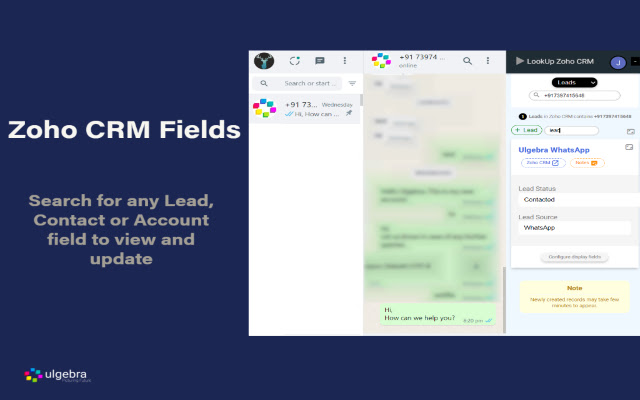


Ladda ner Zoho CRM inside WApp Web-förlängningens CRX-fil
Ladda ner Zoho CRM inside WApp Web-filändelser i crx-format, installera Chrome-tillägg manuellt i webbläsaren eller dela crx-filerna med vänner för att enkelt installera Chrome-tillägg.
Användarmanual för Tillägg
                        Associate and manage Zoho CRM contacts from WA Web to simplify communication. Access the abundant features listed below.

- Contact Addition into Zoho CRM
Create Leads, Contacts & Deals within Zoho CRM for contacts available on WA Web and view the respective contacts within Zoho CRM.

- Contact Details
Go through the contact details within WA Web.

- Contact Search
Search for a number on WA Web to view the Contacts, Leads or Accounts associated with the contact.

- Field Search
Search for any Zoho CRM field inside WA Web. You can also edit any field as and when required.

- Configure Displayed Fields
Using the ‘Configure display fields’ option customize the Zoho CRM fields to be visible on WA Web.

- View Zoho CRM Fields
Access all the Zoho CRM fields using the 'Show hidden fields' options.

- Notes
Stay up to date with the happenings any contact by adding notes WA Web

View the complete details through the link below:
https://apps.ulgebra.com/zoho/crm/zoho-crm-inside-whatsapp-web_1

Contact us at [email protected] in case of any assistance required.


Disclaimer:
This Chrome plugin is not endorsed or certified by WhatsApp Inc or Zoho CRM.

This is an unofficial enhancement tool for WhatsApp Web.

Our Extension Privacy policy:
https://ulgebra.com/privacy-policy/chrome-extensions/wa-web-zoho-crm.html
Grundläggande Information om Tillägg
| Namn |  Zoho CRM inside WApp Web Zoho CRM inside WApp Web |
| ID | njeihbodihkkobpnmekmkplikbkmehed |
| Officiell webbadress | https://chrome.google.com/webstore/detail/zoho-crm-inside-wapp-web/njeihbodihkkobpnmekmkplikbkmehed |
| Beskrivning | Access & Manage Zoho CRM users inside WApp Web for contacts. Add notes to Zoho CRM users directly from WApp |
| Filstorlek | 120 KB |
| Antal Installationer | 962 |
| Aktuell Version | 5.0 |
| Senast Uppdaterad | 2022-09-02 |
| Publiceringsdatum | 2020-09-15 |
| Utvecklare | https://www.ulgebra.com |
| E-post | [email protected] |
| Betalningssätt | free |
| Tilläggswebbplats | https://apps.ulgebra.com/zoho/crm/zoho-crm-inside-whatsapp-web_1 |
| Hjälpsida URL | https://desk.zoho.com/portal/ulgebra/en/newticket |
| URL till Sekretesspolicy Sidan | https://apps.ulgebra.com/privacy-policy |
| Stödda Språk | en |
| manifest.json | |
{
    "update_url": "https:\/\/clients2.google.com\/service\/update2\/crx",
    "name": "Zoho CRM inside WApp Web",
    "version": "5.0",
    "description": "Access & Manage Zoho CRM users inside WApp Web for contacts. Add notes to Zoho CRM users directly from WApp",
    "permissions": [
        "storage",
        "tabs",
        "https:\/\/*.zappsusercontent.com\/*",
        "https:\/\/platform.zoho.com\/*",
        "https:\/\/platform.zoho.in\/*",
        "https:\/\/platform.zoho.eu\/*",
        "https:\/\/platform.zoho.com.au\/*",
        "https:\/\/platform.zoho.com.cn\/*"
    ],
    "options_page": "popup.html",
    "background": {
        "scripts": [
            "background.js"
        ],
        "persistent": true
    },
    "content_scripts": [
        {
            "run_at": "document_end",
            "matches": [
                "https:\/\/web.whatsapp.com\/*"
            ],
            "js": [
                "jquery.min.js",
                "contentScript.js"
            ]
        }
    ],
    "externally_connectable": {
        "matches": [
            "https:\/\/*.zappsusercontent.com\/*",
            "https:\/\/ulgebra-cdn-cicd-crm-msgbrd.gitlab.io\/*",
            "https:\/\/web.whatsapp.com\/*",
            "https:\/\/app.azurna.com\/*"
        ]
    },
    "page_action": {
        "default_popup": "popup.html",
        "default_icon": {
            "16": "images\/whatsapp-business-logo-16.png",
            "32": "images\/whatsapp-business-logo-32.png",
            "48": "images\/whatsapp-business-logo-48.png",
            "128": "images\/whatsapp-business-logo-128.png"
        }
    },
    "icons": {
        "16": "images\/whatsapp-business-logo-16.png",
        "32": "images\/whatsapp-business-logo-32.png",
        "48": "images\/whatsapp-business-logo-48.png",
        "128": "images\/whatsapp-business-logo-128.png"
    },
    "web_accessible_resources": [
        "images\/*"
    ],
    "manifest_version": 2
} | |