RedmineTimer
Controle e salve os tempos gastos em suas tarefas no Redmine.
Vad är RedmineTimer?
RedmineTimer är en Chrome-tillägg utvecklad av DigitalDesk, och dess huvudfunktion är "Controle e salve os tempos gastos em suas tarefas no Redmine.".
Tilläggsskärmbilder

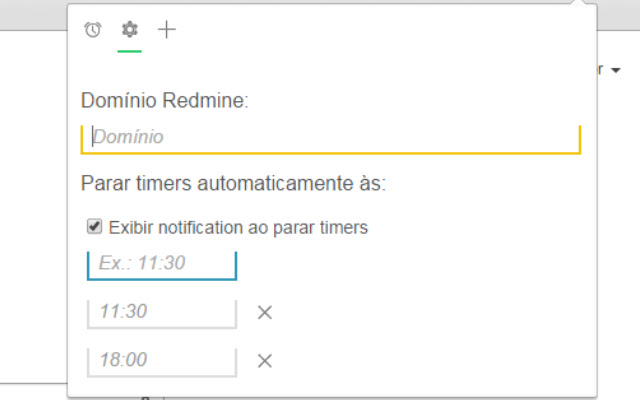
Ladda ner RedmineTimer-förlängningens CRX-fil
Ladda ner RedmineTimer-filändelser i crx-format, installera Chrome-tillägg manuellt i webbläsaren eller dela crx-filerna med vänner för att enkelt installera Chrome-tillägg.
Användarmanual för Tillägg
                        - Controle e salve os tempos gastos em suas tarefas no Redmine.
- Inicie ou pause um timer utilizando a tecla 'ESPAÇO'.
- Feche a popup utilizando a tecla 'ESC'.

Novidades:
- Programe uma ou mais horas do dia para parar seus timers.
Grundläggande Information om Tillägg
| Namn |  RedmineTimer RedmineTimer |
| ID | nlllmgmcchcienchdiljcimcjgflhklg |
| Officiell webbadress | https://chrome.google.com/webstore/detail/redminetimer/nlllmgmcchcienchdiljcimcjgflhklg |
| Beskrivning | Controle e salve os tempos gastos em suas tarefas no Redmine. |
| Filstorlek | 130 KB |
| Antal Installationer | 119 |
| Aktuell Version | 1.2 |
| Senast Uppdaterad | 2018-07-19 |
| Publiceringsdatum | 2018-07-19 |
| Betyg | 5.00/5 Totalt 2 Betyg |
| Utvecklare | DigitalDesk |
| E-post | [email protected] |
| Betalningssätt | free |
| Stödda Språk | pt-BR |
| manifest.json | |
{
    "update_url": "https:\/\/clients2.google.com\/service\/update2\/crx",
    "manifest_version": 2,
    "name": "RedmineTimer",
    "description": "Controle e salve os tempos gastos em suas tarefas no Redmine.",
    "version": "1.2",
    "permissions": [
        "background",
        "tabs",
        "notifications"
    ],
    "browser_action": {
        "default_icon": "images\/icon48.png",
        "default_popup": "html\/index.html"
    },
    "background": {
        "page": "html\/background.html"
    },
    "icons": {
        "16": "images\/icon16.png",
        "48": "images\/icon48.png",
        "128": "images\/icon128.png"
    },
    "offline_enabled": true
} | |