Instapaper highlights exporter
Visit instapaper.com/notes and click the extension icon to export your highlights from Instapaper.
Vad är Instapaper highlights exporter?
Instapaper highlights exporter är en Chrome-tillägg utvecklad av sawyerh, och dess huvudfunktion är "Visit instapaper.com/notes and click the extension icon to export your highlights from Instapaper.".
Tilläggsskärmbilder
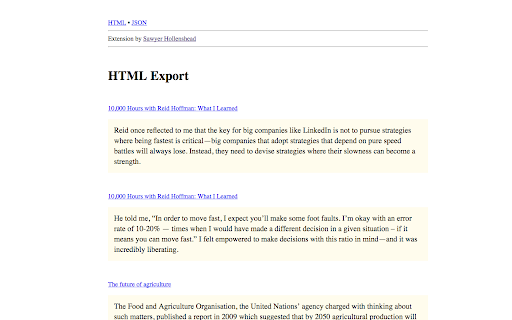
Ladda ner Instapaper highlights exporter-förlängningens CRX-fil
Ladda ner Instapaper highlights exporter-filändelser i crx-format, installera Chrome-tillägg manuellt i webbläsaren eller dela crx-filerna med vänner för att enkelt installera Chrome-tillägg.
Användarmanual för Tillägg
A simple Chrome extension that adds a button to your browser toolbar which, when clicked, will export your Instapaper highlights as an HTML page (with JSON output included). Grundläggande Information om Tillägg
| Namn |  Instapaper highlights exporter Instapaper highlights exporter |
| ID | oiklmlodhebcmaijgmheoafagfhbeohm |
| Officiell webbadress | https://chromewebstore.google.com/detail/instapaper-highlights-exp/oiklmlodhebcmaijgmheoafagfhbeohm |
| Beskrivning | Visit instapaper.com/notes and click the extension icon to export your highlights from Instapaper. |
| Filstorlek | 113 KB |
| Antal Installationer | 664 |
| Aktuell Version | 1.0.0.0 |
| Senast Uppdaterad | 2016-09-02 |
| Publiceringsdatum | 2016-09-02 |
| Betyg | 4.88/5 Totalt 8 Betyg |
| Utvecklare | sawyerh |
| E-post | [email protected] |
| Betalningssätt | free |
| Stödda Språk | en-US |
| manifest.json | |
{
    "update_url": "https:\/\/clients2.google.com\/service\/update2\/crx",
    "manifest_version": 2,
    "version": "1.0.0.0",
    "name": "Instapaper highlights exporter",
    "description": "Visit instapaper.com\/notes and click the extension icon to export your highlights from Instapaper.",
    "applications": {
        "gecko": {
            "id": "[email protected]",
            "strict_min_version": "48.0"
        }
    },
    "background": {
        "scripts": [
            "assets\/js\/background.min.js"
        ],
        "persistent": false
    },
    "content_scripts": [
        {
            "matches": [
                "https:\/\/www.instapaper.com\/*"
            ],
            "js": [
                "\/assets\/js\/content-script.min.js"
            ]
        }
    ],
    "browser_action": {
        "default_icon": "\/assets\/images\/action-icon-38.png",
        "default_title": "Export Instapaper notes"
    },
    "permissions": [
        "https:\/\/www.instapaper.com\/",
        "downloads",
        "tabs"
    ],
    "icons": {
        "16": "assets\/images\/icon-16.png",
        "32": "assets\/images\/icon-32.png",
        "48": "assets\/images\/icon-48.png",
        "64": "assets\/images\/icon-64.png",
        "128": "assets\/images\/icon-128.png"
    }
} | |