Weiva, search in style!
Displays a beautiful random image when you open a new tab in your browser. You can also launch a web search directly from the tab.
Vad är Weiva, search in style!?
Weiva, search in style! är en Chrome-tillägg utvecklad av https://weiva.io, och dess huvudfunktion är "Displays a beautiful random image when you open a new tab in your browser. You can also launch a web search directly from the tab.".
Tilläggsskärmbilder

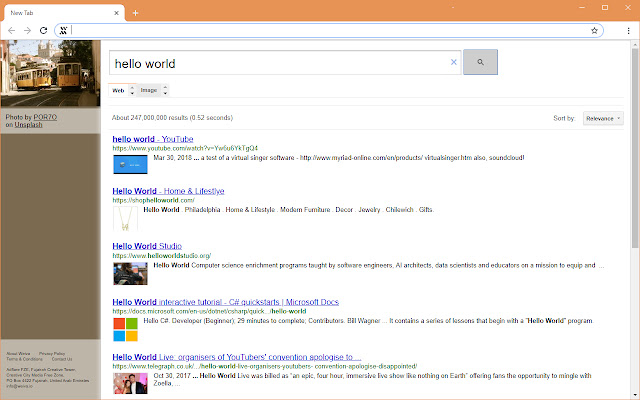
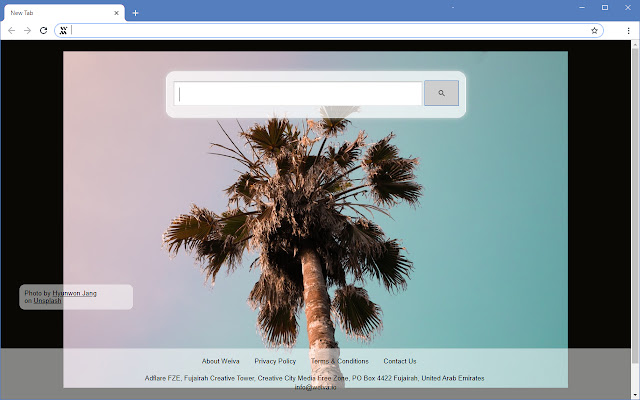
Ladda ner Weiva, search in style!-förlängningens CRX-fil
Ladda ner Weiva, search in style!-filändelser i crx-format, installera Chrome-tillägg manuellt i webbläsaren eller dela crx-filerna med vänner för att enkelt installera Chrome-tillägg.
Användarmanual för Tillägg
                        Elegant. Simple. Useful.

By clicking "Add to chrome", you accept and agree to installing the Weiva, Search In Style! Chrome extension and to setting Chrome™ New Tab to that provided by the service and the Terms of Use and Privacy Policy.

https://weiva.io/
https://weiva.io/terms
https://weiva.io/privacy-policy
Grundläggande Information om Tillägg
| Namn |  Weiva, search in style! Weiva, search in style! |
| ID | oinplnimggijdhnaldikeoanbcdgcgkf |
| Officiell webbadress | https://chrome.google.com/webstore/detail/weiva-search-in-style/oinplnimggijdhnaldikeoanbcdgcgkf |
| Beskrivning | Displays a beautiful random image when you open a new tab in your browser. You can also launch a web search directly from the tab. |
| Filstorlek | 32.74 KB |
| Antal Installationer | 51 |
| Aktuell Version | 1.2 |
| Senast Uppdaterad | 2018-10-31 |
| Publiceringsdatum | 2018-10-31 |
| Betyg | 4.77/5 Totalt 22 Betyg |
| Utvecklare | https://weiva.io |
| Betalningssätt | free |
| Tilläggswebbplats | https://weiva.io/ |
| Stödda Språk | en-US |
| manifest.json | |
{
    "version": "1.2",
    "author": "Weiva.io",
    "homepage_url": "https:\/\/weiva.io\/",
    "chrome_url_overrides": {
        "newtab": "new_tab.html"
    },
    "icons": {
        "32": "icon32.png",
        "48": "icon48.png",
        "96": "icon96.png",
        "128": "icon128.png"
    },
    "offline_enabled": false,
    "description": "Displays a beautiful random image when you open a new tab in your browser. You can also launch a web search directly from the tab.",
    "manifest_version": 2,
    "name": "Weiva, search in style!",
    "short_name": "Weiva",
    "permissions": [
        "activeTab",
        "https:\/\/ajax.googleapis.com\/"
    ],
    "update_url": "https:\/\/clients2.google.com\/service\/update2\/crx",
    "content_security_policy": "object-src 'self'; script-src 'sha256-kDVUo5CTmRhoXJObbpF4tbK7GbB7tUMRJQzPllkG38Q='"
} | |