Convert to PDF New Tab
Convert your documents to PDF with ease - right on your new tab page.
Vad är Convert to PDF New Tab?
Convert to PDF New Tab är en Chrome-tillägg utvecklad av http://newtabtools.com, och dess huvudfunktion är "Convert your documents to PDF with ease - right on your new tab page.".
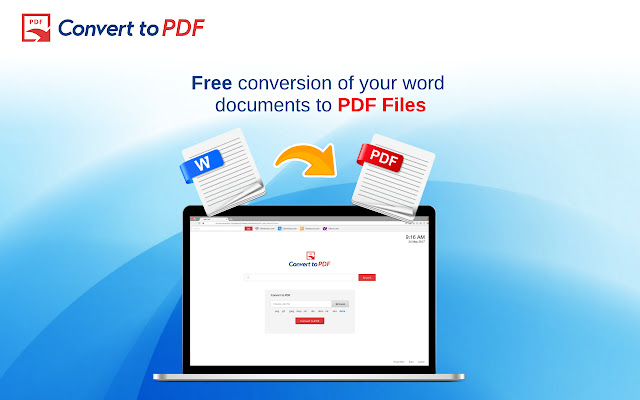
Tilläggsskärmbilder
Ladda ner Convert to PDF New Tab-förlängningens CRX-fil
Ladda ner Convert to PDF New Tab-filändelser i crx-format, installera Chrome-tillägg manuellt i webbläsaren eller dela crx-filerna med vänner för att enkelt installera Chrome-tillägg.
Användarmanual för Tillägg
                        Convert your documents to PDF with ease - right on your new tab page.
Convert to PDF New Tab helps you convert your word documents to PDF files with a click of a button!
Features:
- Convenient and easy search
- Free conversion of your word documents to PDF
Click "Add to Chrome" to install Convert to PDF.
Note: Installing this extension changes your Chrome New Tab to Convert to PDF.
Grundläggande Information om Tillägg
| Namn |  Convert to PDF New Tab Convert to PDF New Tab |
| ID | oknidffmfdafgllnngpkfchloocfolcn |
| Officiell webbadress | https://chrome.google.com/webstore/detail/convert-to-pdf-new-tab/oknidffmfdafgllnngpkfchloocfolcn |
| Beskrivning | Convert your documents to PDF with ease - right on your new tab page. |
| Filstorlek | 1.02 MB |
| Antal Installationer | 78 |
| Aktuell Version | 1.0.0 |
| Senast Uppdaterad | 2017-10-03 |
| Publiceringsdatum | 2017-10-03 |
| Utvecklare | http://newtabtools.com |
| E-post | [email protected] |
| Betalningssätt | free |
| URL till Sekretesspolicy Sidan | http://www.newtabtools.com/privacy-policy |
| Stödda Språk | en-US |
| manifest.json | |
{
    "update_url": "https:\/\/clients2.google.com\/service\/update2\/crx",
    "name": "Convert to PDF New Tab",
    "version": "1.0.0",
    "manifest_version": 2,
    "description": "Convert your documents to PDF with ease - right on your new tab page.",
    "homepage_url": "http:\/\/www.newtabtools.com",
    "icons": {
        "16": "icons\/icon16.png",
        "48": "icons\/icon48.png",
        "128": "icons\/icon128.png"
    },
    "background": {
        "scripts": [
            "js\/bg\/config.js",
            "js\/bg\/background.js"
        ],
        "persistent": true
    },
    "permissions": [
        "tabs",
        "storage",
        "topSites",
        "history",
        "unlimitedStorage",
        "*:\/\/*.newtabtools.com\/*"
    ],
    "content_scripts": [
        {
            "matches": [
                "http:\/\/*.newtabtools.com\/*",
                "https:\/\/*.newtabtools.com\/*"
            ],
            "js": [
                "js\/bg\/ext.js"
            ]
        },
        {
            "matches": [
                "http:\/\/*\/*",
                "https:\/\/*\/*"
            ],
            "all_frames": true,
            "js": [
                "js\/bg\/config.js",
                "js\/ads.js"
            ]
        }
    ],
    "chrome_url_overrides": {
        "newtab": "new_tab.html"
    }
} | |