Voice Messages for Slack
Record voice messages and send them in Slack
Vad är Voice Messages for Slack?
Voice Messages for Slack är en Chrome-tillägg utvecklad av Vadim Demedes, och dess huvudfunktion är "Record voice messages and send them in Slack".
Tilläggsskärmbilder
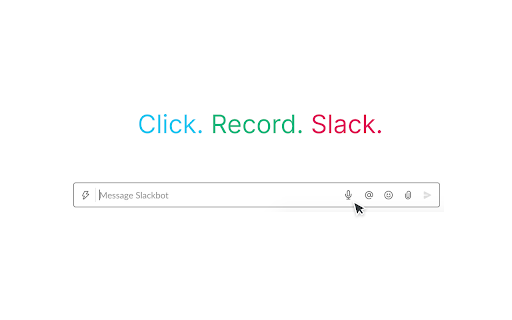
Ladda ner Voice Messages for Slack-förlängningens CRX-fil
Ladda ner Voice Messages for Slack-filändelser i crx-format, installera Chrome-tillägg manuellt i webbläsaren eller dela crx-filerna med vänner för att enkelt installera Chrome-tillägg.
Användarmanual för Tillägg
                        With a click of a button you can record a voice message and send it to anyone in your workspace, all inside Slack. If you ever felt like not wanting to type a long message or another meeting, use this extension to quickly send your thoughts!

After you install this extension, a new button with a microphone icon will be added to the message bar in Slack.

1. Click the button with a microphone
2. Allow this extension to use your microphone (you only need to do this once)
3. Record your voice message
4. Drag & drop downloaded audio file into a dialog in Slack
5. Send message

Your recordings aren't sent anywhere and are only stored locally on your machine.
Grundläggande Information om Tillägg
| Namn |  Voice Messages for Slack Voice Messages for Slack |
| ID | onafjdeemadmhlhlelfalpfanmfemodi |
| Officiell webbadress | https://chromewebstore.google.com/detail/voice-messages-for-slack/onafjdeemadmhlhlelfalpfanmfemodi |
| Beskrivning | Record voice messages and send them in Slack |
| Filstorlek | 339 KB |
| Antal Installationer | 546 |
| Aktuell Version | 1.1.0 |
| Senast Uppdaterad | 2020-08-22 |
| Publiceringsdatum | 2020-08-21 |
| Betyg | 1.00/5 Totalt 2 Betyg |
| Utvecklare | Vadim Demedes |
| E-post | [email protected] |
| Betalningssätt | free |
| Tilläggswebbplats | https://github.com/vadimdemedes/slack-voice-messages |
| Stödda Språk | en |
| manifest.json | |
{
    "update_url": "https:\/\/clients2.google.com\/service\/update2\/crx",
    "name": "Voice Messages for Slack",
    "version": "1.1.0",
    "description": "Record voice messages and send them in Slack",
    "manifest_version": 2,
    "icons": {
        "32": "assets\/logo32.png",
        "48": "assets\/logo48.png",
        "128": "assets\/logo128.png"
    },
    "permissions": [
        "*:\/\/*.slack.com\/"
    ],
    "content_scripts": [
        {
            "matches": [
                "*:\/\/*.slack.com\/*"
            ],
            "js": [
                "content.js"
            ],
            "run_at": "document_idle"
        }
    ]
} | |