Torrentdrive
Add url magnet and url .torrent to Torrentdrive
Vad är Torrentdrive?
Torrentdrive är en Chrome-tillägg utvecklad av https://torrentdrive.io, och dess huvudfunktion är "Add url magnet and url .torrent to Torrentdrive".
Tilläggsskärmbilder
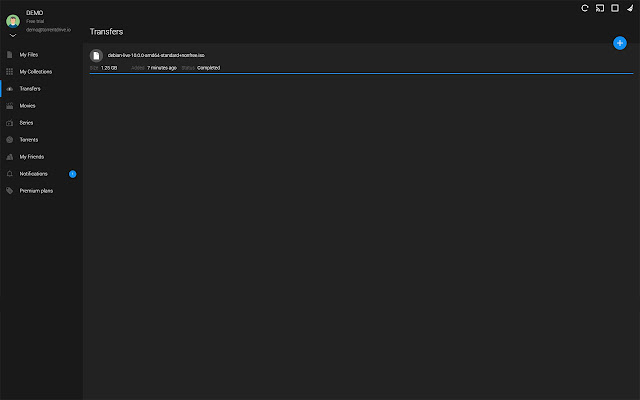
Ladda ner Torrentdrive-förlängningens CRX-fil
Ladda ner Torrentdrive-filändelser i crx-format, installera Chrome-tillägg manuellt i webbläsaren eller dela crx-filerna med vänner för att enkelt installera Chrome-tillägg.
Användarmanual för Tillägg
                        This extension allows you to add magnet links or .torrent links directly to the transfer page.
And Torrentdrive also allows you:
- Download your torrents from our cloud server.
- Automatic virus scanning.
- Automatic encoding and streaming on all your devices.
- Organize and share your torrent in collections with your friends.
- Informations of movies and tv shows integrated.
- Integrated torrents search engine.

Registration is free.
Grundläggande Information om Tillägg
| Namn |  Torrentdrive Torrentdrive |
| ID | openfjjdaedlpleplkhlkdhajpicokbb |
| Officiell webbadress | https://chrome.google.com/webstore/detail/torrentdrive/openfjjdaedlpleplkhlkdhajpicokbb |
| Beskrivning | Add url magnet and url .torrent to Torrentdrive |
| Filstorlek | 6.51 KB |
| Antal Installationer | 377 |
| Aktuell Version | 1.3 |
| Senast Uppdaterad | 2019-09-02 |
| Publiceringsdatum | 2019-09-02 |
| Betyg | 2.00/5 Totalt 4 Betyg |
| Utvecklare | https://torrentdrive.io |
| E-post | [email protected] |
| Betalningssätt | free |
| URL till Sekretesspolicy Sidan | https://torrentdrive.io/page/privacy-policy |
| Stödda Språk | en |
| manifest.json | |
{
    "update_url": "https:\/\/clients2.google.com\/service\/update2\/crx",
    "name": "Torrentdrive",
    "description": "Add url magnet and url .torrent to Torrentdrive",
    "version": "1.3",
    "permissions": [
        "contextMenus",
        "downloads"
    ],
    "icons": {
        "16": "icon-bitty.png",
        "48": "icon-small.png",
        "128": "icon-large.png"
    },
    "background": {
        "scripts": [
            "background.js"
        ]
    },
    "browser_action": {
        "default_icon": "icon-bitty.png"
    },
    "manifest_version": 2
} | |