Gmail™ Instant Title Links
Automatically turn URLs in gmail titles clickable links
Vad är Gmail™ Instant Title Links?
Gmail™ Instant Title Links är en Chrome-tillägg utvecklad av Aviche, och dess huvudfunktion är "Automatically turn URLs in gmail titles clickable links".
Tilläggsskärmbilder
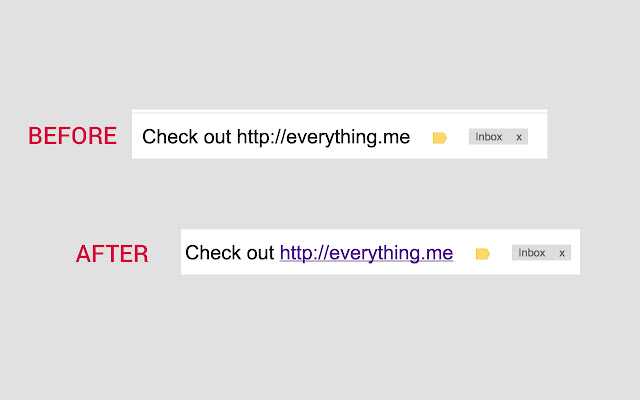
Ladda ner Gmail™ Instant Title Links-förlängningens CRX-fil
Ladda ner Gmail™ Instant Title Links-filändelser i crx-format, installera Chrome-tillägg manuellt i webbläsaren eller dela crx-filerna med vänner för att enkelt installera Chrome-tillägg.
Användarmanual för Tillägg
                        When people share a website the copy the url and in many cases simply paste it in the email's title...
The thing is that for some reason Gmail™ doesn't change the url in email titles into a link which means you need to copy it and paste it in the browser...

Now lets admit, this isn't a real big problem... but wouldn't it be nice if you can turn those URL titles into links?
Well now you can... Just add this extension and and UrL that appears in your email title will be turned into a link :-)

Enjoy
Grundläggande Information om Tillägg
| Namn |  Gmail™ Instant Title Links Gmail™ Instant Title Links |
| ID | pchdmcajhbjplgkkinpfncgenmiacpfk |
| Officiell webbadress | https://chrome.google.com/webstore/detail/gmail-instant-title-links/pchdmcajhbjplgkkinpfncgenmiacpfk |
| Beskrivning | Automatically turn URLs in gmail titles clickable links |
| Filstorlek | 46.08 KB |
| Antal Installationer | 13 |
| Aktuell Version | 2.0 |
| Senast Uppdaterad | 2015-03-25 |
| Publiceringsdatum | 2015-03-25 |
| Betyg | 5.00/5 Totalt 1 Betyg |
| Utvecklare | Aviche |
| Betalningssätt | free |
| Stödda Språk | en-US |
| manifest.json | |
{
    "update_url": "https:\/\/clients2.google.com\/service\/update2\/crx",
    "manifest_version": 2,
    "name": "Gmail\u2122 Instant Title Links",
    "description": "Automatically turn URLs in gmail titles clickable links",
    "version": "2.0",
    "permissions": [
        "https:\/\/*\/*",
        "http:\/\/*\/*",
        "activeTab",
        "webNavigation"
    ],
    "background": {
        "scripts": [
            "background.js"
        ],
        "persistent": true
    },
    "content_scripts": [
        {
            "matches": [
                "https:\/\/mail.google.com\/*"
            ],
            "js": [
                "contentScript.js"
            ]
        }
    ]
} | |