Dragonball Fighter Z Game HD New Tab Theme
Each time you open a new tab, you will get a different HD wallpaper from Dragonball Fighter Z.Includes clock and more.
Dragonball Fighter Z Game HD New Tab Themeคืออะไร?
Dragonball Fighter Z Game HD New Tab Theme เป็นส่วนขยายของ Chrome ที่พัฒนาโดย http://mytab.me และคุณลักษณะหลักของมันคือ "Each time you open a new tab, you will get a different HD wallpaper from Dragonball Fighter Z.Includes clock and more."
ภาพหน้าจอของส่วนขยาย


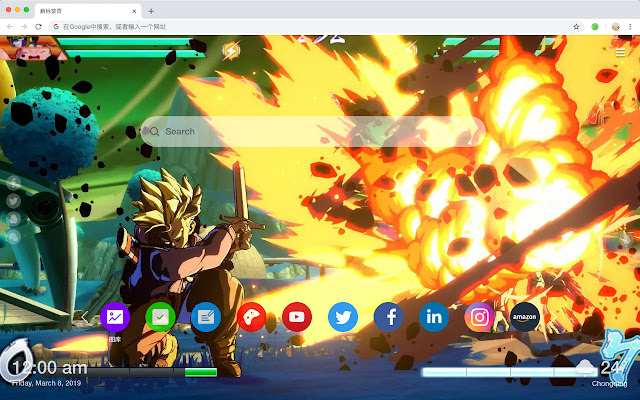
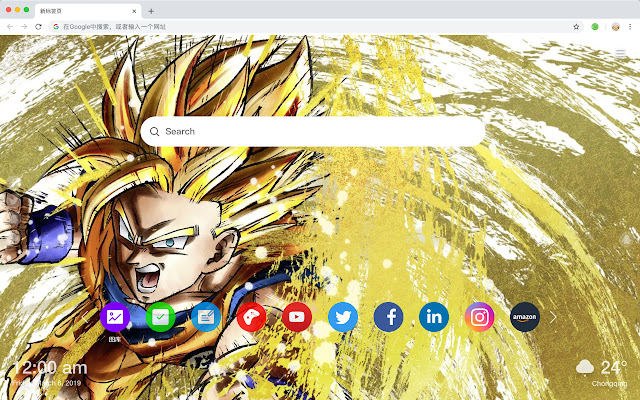
ดาวน์โหลดไฟล์ CRX ของส่วนขยาย Dragonball Fighter Z Game HD New Tab Theme
ดาวน์โหลดไฟล์ส่วนขยาย Dragonball Fighter Z Game HD New Tab Theme ในรูปแบบ crx และติดตั้งส่วนขยาย Chrome ด้วยตนเองในเบราว์เซอร์หรือแชร์ไฟล์ crx กับเพื่อนๆ เพื่อติดตั้งส่วนขยาย Chrome อย่างง่ายดาย
คำแนะนำในการใช้ส่วนขยาย
                        Here's a list of other features you'll get:
 - To-do list
 - Set your favorite wallpapers
 - Discover new hot spots
 - Bookmarks
 - Social network notifications
 - High quality wallpaper for each new label
 - Clock showing date and time
 - Weather widget
 - Open to search
ข้อมูลพื้นฐานของส่วนขยาย
| ชื่อ |  Dragonball Fighter Z Game HD New Tab Theme Dragonball Fighter Z Game HD New Tab Theme |
| ID | alfmhjodgkaaophgogajpmigjdociefd |
| URL อย่างเป็นทางการ | https://chrome.google.com/webstore/detail/dragonball-fighter-z-game/alfmhjodgkaaophgogajpmigjdociefd |
| คำอธิบาย | Each time you open a new tab, you will get a different HD wallpaper from Dragonball Fighter Z.Includes clock and more. |
| ขนาดไฟล์ | 47.18 KB |
| จำนวนการติดตั้ง | 41 |
| เวอร์ชันปัจจุบัน | 1.1.1.0 |
| อัปเดตครั้งล่าสุด | 2019-06-20 |
| วันที่เผยแพร่ | 2019-06-20 |
| ผู้พัฒนา | http://mytab.me |
| ประเภทการชำระเงิน | free |
| ภาษาที่รองรับ | en,zh-CN,zh-TW |
| manifest.json | |
{
    "name": "__MSG_ext_name__",
    "manifest_version": 2,
    "description": "__MSG_ext_desc__",
    "browser_action": {
        "default_icon": {
            "48": "icons\/48.png"
        },
        "default_title": "__MSG_ext_name__"
    },
    "chrome_url_overrides": {
        "newtab": "pages\/newtab\/index.html"
    },
    "background": {
        "scripts": [
            "app.js",
            "pages\/background\/index.js"
        ],
        "persistent": false
    },
    "default_locale": "en",
    "icons": {
        "48": "icons\/48.png",
        "128": "icons\/128.png"
    },
    "minimum_chrome_version": "57",
    "offline_enabled": true,
    "update_url": "https:\/\/clients2.google.com\/service\/update2\/crx",
    "version": "1.1.1.0"
} | |