Bookmark Access Bar
Bookmark Access Bar
Bookmark Access Barคืออะไร?
Bookmark Access Bar เป็นส่วนขยายของ Chrome ที่พัฒนาโดย Md. Mamunur Rashid และคุณลักษณะหลักของมันคือ "Bookmark Access Bar"
ภาพหน้าจอของส่วนขยาย
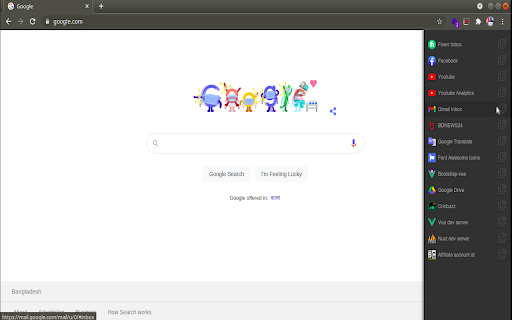
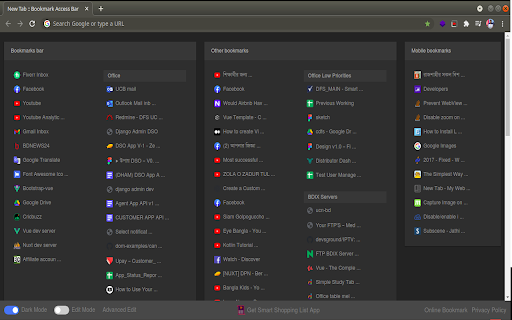
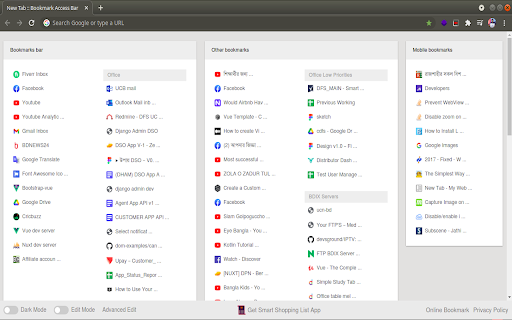
ดาวน์โหลดไฟล์ CRX ของส่วนขยาย Bookmark Access Bar
ดาวน์โหลดไฟล์ส่วนขยาย Bookmark Access Bar ในรูปแบบ crx และติดตั้งส่วนขยาย Chrome ด้วยตนเองในเบราว์เซอร์หรือแชร์ไฟล์ crx กับเพื่อนๆ เพื่อติดตั้งส่วนขยาย Chrome อย่างง่ายดาย
คำแนะนำในการใช้ส่วนขยาย
                        Get a toggle-able sidebar with all your favorite bookmarks at the edge of your browser window.

This extensions allows you to access your favorite bookmarks by clicking on the floating menu button.

You will also get all of your bookmarks in new tab.  You can add, edit, delete your bookmarks from edit mode.

You will also get some of our products update at the bottom of the page. (e.g. Smart Shopping List App)

If you found a bug, have ideas for features or improvements, please let me know by sending mail to the address [email protected].
ข้อมูลพื้นฐานของส่วนขยาย
| ชื่อ |  Bookmark Access Bar Bookmark Access Bar |
| ID | dckeohnohhdjjnellboiakekicnmchcc |
| URL อย่างเป็นทางการ | https://chromewebstore.google.com/detail/bookmark-access-bar/dckeohnohhdjjnellboiakekicnmchcc |
| คำอธิบาย | Bookmark Access Bar |
| ขนาดไฟล์ | 249 KB |
| จำนวนการติดตั้ง | 37 |
| เวอร์ชันปัจจุบัน | 1.0.2 |
| อัปเดตครั้งล่าสุด | 2021-05-26 |
| วันที่เผยแพร่ | 2021-05-25 |
| คะแนน | 5.00/5 รวมทั้งหมด 3 คะแนน |
| ผู้พัฒนา | Md. Mamunur Rashid |
| อีเมล | [email protected] |
| ประเภทการชำระเงิน | free |
| ภาษาที่รองรับ | en-US |
| manifest.json | |
{
"manifest_version": 2,
"name": "Bookmark Access Bar",
"version": "1.0.2",
"version_name": "1.0.2",
"description": "Bookmark Access Bar",
"homepage_url": "http:\/\/myweblists.com\/extension",
"icons": {
"128": "img\/icon\/icon_128x128.png",
"256": "img\/icon\/icon_256x256.png",
"48": "img\/icon\/icon_48x48.png"
},
"minimum_chrome_version": "76",
"update_url": "https:\/\/clients2.google.com\/service\/update2\/crx",
"permissions": [
"storage",
"bookmarks",
"chrome:\/\/favicon\/",
"tabs"
],
"content_scripts": [
{
"matches": [
" | |