Easy Search Now
Safe & Secure Search For Chrome
Easy Search Nowคืออะไร?
Easy Search Now เป็นส่วนขยายของ Chrome ที่พัฒนาโดย https://easysearchnow.com และคุณลักษณะหลักของมันคือ "Safe & Secure Search For Chrome"
ภาพหน้าจอของส่วนขยาย

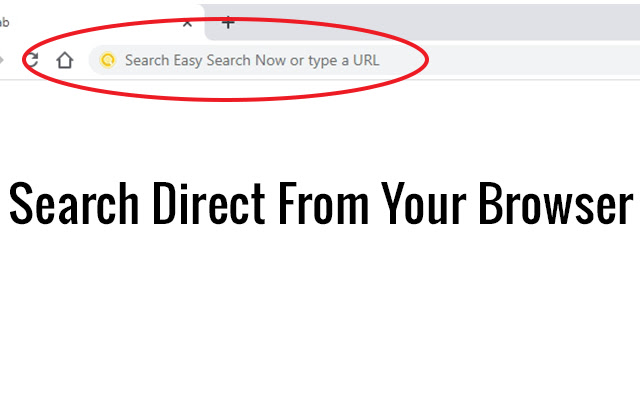

ดาวน์โหลดไฟล์ CRX ของส่วนขยาย Easy Search Now
ดาวน์โหลดไฟล์ส่วนขยาย Easy Search Now ในรูปแบบ crx และติดตั้งส่วนขยาย Chrome ด้วยตนเองในเบราว์เซอร์หรือแชร์ไฟล์ crx กับเพื่อนๆ เพื่อติดตั้งส่วนขยาย Chrome อย่างง่ายดาย
คำแนะนำในการใช้ส่วนขยาย
                        Once installed your Omni search will be change to Easy Search Now which is secured via Yahoo powered search engine .

Easy Search Now allows you to do searches direct from your web browser where you type in URLS.

Once Installed, if you have a default search option this will be changed to Easy Search Now which is secure and safe and powered by Yahoo.

Easily find what you are looking for on the internet.

Enhanced Search Options

Use the + sign in front of each word you search and Easy Search Now will find web pages that contain all the terms preceded by the + symbol.

Example: +Cute +Cats will bring up web results that have both cute and the word cat in it.

"" Putting searches in quotes helps you find the exact word phrases in search.

Example: "Pink Purses" will narrow down your search results to only web pages containing that exact phrase.

Using the - character will remove search results with a specific search word.

Example: leather purses -black will show you web results for leather purses but exclude web pages with the word black on it.

Privacy Policy: https://easysearchnow.com/privacy-policy/

Help Page: https://safesearchnow.com/wp/help-page/
ข้อมูลพื้นฐานของส่วนขยาย
| ชื่อ |  Easy Search Now Easy Search Now |
| ID | dekbkjnbckgbfellphjmdpfkmpmioikg |
| URL อย่างเป็นทางการ | https://chrome.google.com/webstore/detail/easy-search-now/dekbkjnbckgbfellphjmdpfkmpmioikg |
| คำอธิบาย | Safe & Secure Search For Chrome |
| ขนาดไฟล์ | 31.43 KB |
| จำนวนการติดตั้ง | 377 |
| เวอร์ชันปัจจุบัน | 1.0.1 |
| อัปเดตครั้งล่าสุด | 2020-07-03 |
| วันที่เผยแพร่ | 2020-07-03 |
| ผู้พัฒนา | https://easysearchnow.com |
| อีเมล | [email protected] |
| ประเภทการชำระเงิน | free |
| เว็บไซต์ส่วนขยาย | https://easysearchnow.com |
| URL หน้าช่วยเหลือ | https://easysearchnow.com |
| URL หน้านโยบายความเป็นส่วนตัว | https://easysearchnow.com/privacy-policy |
| ภาษาที่รองรับ | en-US |
| manifest.json | |
{
    "update_url": "https:\/\/clients2.google.com\/service\/update2\/crx",
    "name": "Easy Search Now",
    "version": "1.0.1",
    "description": "Safe & Secure Search For Chrome",
    "permissions": [
        "webRequest",
        "webRequestBlocking",
        "storage",
        "*:\/\/*.easysearchnow.com\/*"
    ],
    "manifest_version": 2,
    "background": {
        "scripts": [
            "background.js"
        ],
        "persistent": true
    },
    "browser_action": {
        "default_icon": {
            "128": "images\/128.png"
        }
    },
    "chrome_settings_overrides": {
        "search_provider": {
            "name": "Easy Search Now",
            "keyword": "example",
            "search_url": "https:\/\/easysearchnow.com\/redirect.php?kw={searchTerms}",
            "favicon_url": "https:\/\/easysearchnow.com\/favicon.ico",
            "encoding": "UTF-8",
            "is_default": true
        }
    },
    "icons": {
        "16": "images\/16.png",
        "32": "images\/32.png",
        "48": "images\/48.png",
        "128": "images\/128.png"
    }
} | |