Free Avira Phantom VPN – Unblock Websites
Climb over firewalls to access any site – securely and privately. Unlimited data & FREE.
Free Avira Phantom VPN – Unblock Websitesคืออะไร?
Free Avira Phantom VPN – Unblock Websites เป็นส่วนขยายของ Chrome ที่พัฒนาโดย Avira และคุณลักษณะหลักของมันคือ "Climb over firewalls to access any site – securely and privately. Unlimited data & FREE."
ภาพหน้าจอของส่วนขยาย
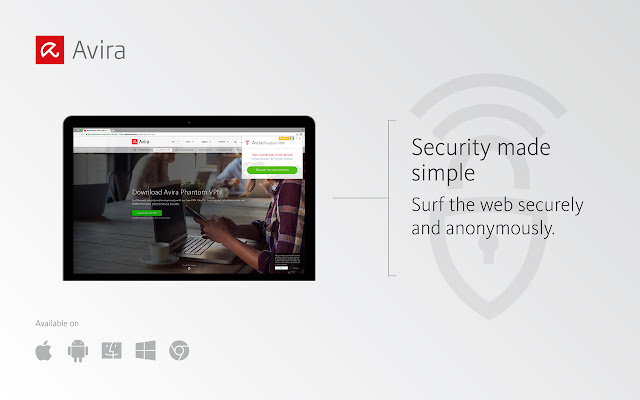


ดาวน์โหลดไฟล์ CRX ของส่วนขยาย Free Avira Phantom VPN – Unblock Websites
ดาวน์โหลดไฟล์ส่วนขยาย Free Avira Phantom VPN – Unblock Websites ในรูปแบบ crx และติดตั้งส่วนขยาย Chrome ด้วยตนเองในเบราว์เซอร์หรือแชร์ไฟล์ crx กับเพื่อนๆ เพื่อติดตั้งส่วนขยาย Chrome อย่างง่ายดาย
คำแนะนำในการใช้ส่วนขยาย
                        Why Avira Phantom VPN?
•	Unlimited bandwidth
•	Better than a proxy – offers data encryption
•	Unblocks websites
•	Bypasses firewalls
•	Hides you from your ISP
•	Masks your IP address
•	Secures your Internet connection
•	Completely free!

#Unblock your favorite content
Get a more global Internet experience. Some news channels, social networking sites, and video streaming websites cannot be accessed from certain regions or are blocked by firewalls at work and at university. Avira Phantom VPN unblocks access to these sites — helping you enjoy a freer web.

#Browse anonymously
Anonymously browse the Internet. Avira Phantom VPN masks – your real IP address to make you look like you’re somewhere (and someone) else. This makes it much harder for advertisers to track you across websites, prevents your Internet Service Provider from seeing which websites you access, and prevents your private data from being collected and exploited.

#Secure your Internet connection
Prevent cybercriminals from intercepting your private data. When you’re on an open/unsecured WiFi network, hackers and other third parties can see your communications with friends, within social networks and shopping/banking portals, etc. Avira Phantom VPN encrypts your data on any network.

#VPN client technology
Enjoy the benefits of our VPN client version, available to you as a free extension in your Chrome browser. We use HTTP (proxy) protocol on port 443 TCP (with SSL) combined with military-grade encryption (AES-256) to keep everything you do online secure and private.

#Languages
English, German, French, and Italian

Like our VPN extension for Chrome? Let us know by rating us in the Chrome Web Store!
ข้อมูลพื้นฐานของส่วนขยาย
| ชื่อ |  Free Avira Phantom VPN – Unblock Websites Free Avira Phantom VPN – Unblock Websites |
| ID | dfkdflfgjdajbhocmfjolpjbebdkcjog |
| URL อย่างเป็นทางการ | https://chrome.google.com/webstore/detail/free-avira-phantom-vpn-%E2%80%93/dfkdflfgjdajbhocmfjolpjbebdkcjog |
| คำอธิบาย | Climb over firewalls to access any site – securely and privately. Unlimited data & FREE. |
| ขนาดไฟล์ | 1.65 MB |
| จำนวนการติดตั้ง | 93,868 |
| เวอร์ชันปัจจุบัน | 1.5.1 |
| อัปเดตครั้งล่าสุด | 2019-06-24 |
| วันที่เผยแพร่ | 2019-06-24 |
| คะแนน | 3.90/5 รวมทั้งหมด 307 คะแนน |
| ผู้พัฒนา | Avira |
| อีเมล | [email protected] |
| เว็บไซต์ส่วนขยาย | https://www.avira.com/ |
| URL หน้าช่วยเหลือ | https://www.avira.com/support |
| URL หน้านโยบายความเป็นส่วนตัว | https://privacy.avira.com |
| ภาษาที่รองรับ | de,en,fr,it |
| manifest.json | |
{
"update_url": "https:\/\/clients2.google.com\/service\/update2\/crx",
"default_locale": "en",
"name": "__MSG_extName__",
"description": "__MSG_extDescription__",
"version": "1.5.1",
"manifest_version": 2,
"icons": {
"16": "images\/png\/vpn_icon_16.png",
"48": "images\/png\/vpn_icon_48.png",
"128": "images\/png\/vpn_icon_128.png"
},
"browser_action": {
"default_icon": "images\/png\/disconnected.png",
"default_title": "Avira Phantom VPN",
"default_popup": "index.html"
},
"background": {
"scripts": [
"background.js"
]
},
"content_security_policy": "script-src 'self' 'unsafe-eval' https:\/\/www.google.com https:\/\/www.gstatic.com https:\/\/passwords.avira.com; object-src 'self'",
"permissions": [
" | |