Discord Token Login
Login to Discord using a token
Discord Token Loginคืออะไร?
Discord Token Login เป็นส่วนขยายของ Chrome ที่พัฒนาโดย Shifts และคุณลักษณะหลักของมันคือ "Login to Discord using a token"
ภาพหน้าจอของส่วนขยาย
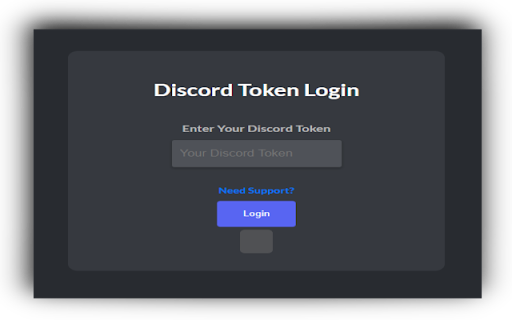
ดาวน์โหลดไฟล์ CRX ของส่วนขยาย Discord Token Login
ดาวน์โหลดไฟล์ส่วนขยาย Discord Token Login ในรูปแบบ crx และติดตั้งส่วนขยาย Chrome ด้วยตนเองในเบราว์เซอร์หรือแชร์ไฟล์ crx กับเพื่อนๆ เพื่อติดตั้งส่วนขยาย Chrome อย่างง่ายดาย
คำแนะนำในการใช้ส่วนขยาย
                        Easy-to-use interface along with token validity checking.

If the extension turns red, your token is invalid. If it turns green, your token is valid.

* Tokens change after you authenticate / login with them. *

Tokens are NOT stored / sent to the developer, tokens are pushed to Discord's API to check the validity of them.
ข้อมูลพื้นฐานของส่วนขยาย
| ชื่อ |  Discord Token Login Discord Token Login |
| ID | dgejhipdiojpnoggmehdiicanhnbdngk |
| URL อย่างเป็นทางการ | https://chromewebstore.google.com/detail/discord-token-login/dgejhipdiojpnoggmehdiicanhnbdngk |
| คำอธิบาย | Login to Discord using a token |
| ขนาดไฟล์ | 10.94 KB |
| จำนวนการติดตั้ง | 773 |
| เวอร์ชันปัจจุบัน | 1.2 |
| อัปเดตครั้งล่าสุด | 2023-10-14 |
| วันที่เผยแพร่ | 2023-06-29 |
| ผู้พัฒนา | Shifts |
| อีเมล | [email protected] |
| ประเภทการชำระเงิน | free |
| เว็บไซต์ส่วนขยาย | https://github.com/ignshifts/Token_Login |
| URL หน้าช่วยเหลือ | https://discord.gg/48qbg6UP9g |
| URL หน้านโยบายความเป็นส่วนตัว | https://gist.github.com/ignshifts/39d04f131e6d7a9be1886175fd0f2425 |
| ภาษาที่รองรับ | en |
| manifest.json | |
{
    "update_url": "https:\/\/clients2.google.com\/service\/update2\/crx",
    "manifest_version": 3,
    "name": "Discord Token Login",
    "version": "1.2",
    "description": "Login to Discord using a token",
    "icons": {
        "128": "logo.png"
    },
    "action": {
        "default_popup": "index.html",
        "default_icon": {
            "128": "logo.png"
        }
    },
    "permissions": [
        "activeTab",
        "scripting"
    ]
} | |