Mouse Statistics
Tracks mouse events & key presses
Mouse Statisticsคืออะไร?
Mouse Statistics เป็นส่วนขยายของ Chrome ที่พัฒนาโดย https://www.pavsesh.com และคุณลักษณะหลักของมันคือ "Tracks mouse events & key presses"
ภาพหน้าจอของส่วนขยาย

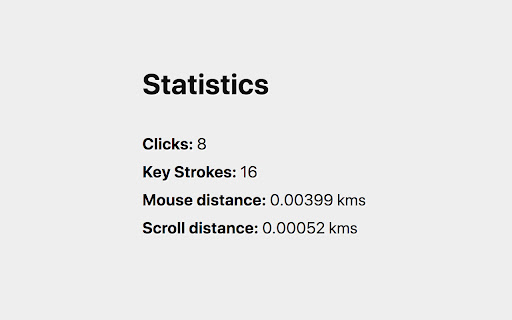
ดาวน์โหลดไฟล์ CRX ของส่วนขยาย Mouse Statistics
ดาวน์โหลดไฟล์ส่วนขยาย Mouse Statistics ในรูปแบบ crx และติดตั้งส่วนขยาย Chrome ด้วยตนเองในเบราว์เซอร์หรือแชร์ไฟล์ crx กับเพื่อนๆ เพื่อติดตั้งส่วนขยาย Chrome อย่างง่ายดาย
คำแนะนำในการใช้ส่วนขยาย
Ever wondered how much have you been moving your mouse pointer or how much have you scrolled in your browser viewing the web pages? This is the extension which shows that! ข้อมูลพื้นฐานของส่วนขยาย
| ชื่อ |  Mouse Statistics Mouse Statistics |
| ID | dhalffenjnikgfekfdlohiehdbideadk |
| URL อย่างเป็นทางการ | https://chromewebstore.google.com/detail/mouse-statistics/dhalffenjnikgfekfdlohiehdbideadk |
| คำอธิบาย | Tracks mouse events & key presses |
| ขนาดไฟล์ | 19.09 KB |
| จำนวนการติดตั้ง | 55 |
| เวอร์ชันปัจจุบัน | 1.0.2 |
| อัปเดตครั้งล่าสุด | 2018-05-31 |
| วันที่เผยแพร่ | 2018-05-31 |
| คะแนน | 5.00/5 รวมทั้งหมด 1 คะแนน |
| ผู้พัฒนา | https://www.pavsesh.com |
| ประเภทการชำระเงิน | free |
| ภาษาที่รองรับ | en |
| manifest.json | |
{
    "update_url": "https:\/\/clients2.google.com\/service\/update2\/crx",
    "name": "Mouse Statistics",
    "version": "1.0.2",
    "description": "Tracks mouse events & key presses",
    "permissions": [
        "storage",
        "tabs",
        "activeTab",
        "*:\/\/*\/*"
    ],
    "content_scripts": [
        {
            "matches": [
                "*:\/\/*\/*"
            ],
            "all_frames": true,
            "js": [
                "scripts\/adapters\/chrome.js",
                "scripts\/tracker.js"
            ]
        }
    ],
    "background": {
        "scripts": [
            "scripts\/adapters\/chrome.js",
            "scripts\/background.js"
        ],
        "persistent": false
    },
    "browser_action": {
        "default_popup": "views\/popup.html",
        "default_icon": {
            "16": "images\/logo-16.png",
            "32": "images\/logo-32.png",
            "48": "images\/logo-48.png",
            "128": "images\/logo-128.png",
            "256": "images\/logo-256.png"
        }
    },
    "icons": {
        "16": "images\/logo-16.png",
        "32": "images\/logo-32.png",
        "48": "images\/logo-48.png",
        "128": "images\/logo-128.png",
        "256": "images\/logo-256.png"
    },
    "chrome_url_overrides": {
        "newtab": "views\/newtab.html"
    },
    "web_accessible_resources": [
        "images\/*",
        "scripts\/newtab.js"
    ],
    "manifest_version": 2
} | |