New Tab Bible Verses
Bible verses delivered every time you open up a new tab.
New Tab Bible Versesคืออะไร?
New Tab Bible Verses เป็นส่วนขยายของ Chrome ที่พัฒนาโดย The Mindful Tech Lab และคุณลักษณะหลักของมันคือ "Bible verses delivered every time you open up a new tab."
ภาพหน้าจอของส่วนขยาย
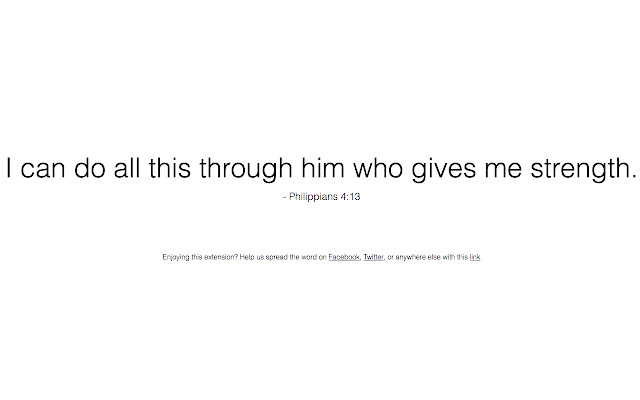


ดาวน์โหลดไฟล์ CRX ของส่วนขยาย New Tab Bible Verses
ดาวน์โหลดไฟล์ส่วนขยาย New Tab Bible Verses ในรูปแบบ crx และติดตั้งส่วนขยาย Chrome ด้วยตนเองในเบราว์เซอร์หรือแชร์ไฟล์ crx กับเพื่อนๆ เพื่อติดตั้งส่วนขยาย Chrome อย่างง่ายดาย
คำแนะนำในการใช้ส่วนขยาย
                        New Tab Bible Verses replaces your new tab page with a selection of randomized Bible verses displayed in a minimalist layout. There’s no better way to inject Bible verses into your daily routine than to add this simple extension.

A project in collaboration with Dr. Jeremy Roberts, Lead Pastor of The Church of Highlands and adjunct professor at Liberty University. You can reach out to him at [email protected]
ข้อมูลพื้นฐานของส่วนขยาย
| ชื่อ |  New Tab Bible Verses New Tab Bible Verses |
| ID | djlpnhfkmaghdcfdmajkkefmjnmiidbc |
| URL อย่างเป็นทางการ | https://chrome.google.com/webstore/detail/new-tab-bible-verses/djlpnhfkmaghdcfdmajkkefmjnmiidbc |
| คำอธิบาย | Bible verses delivered every time you open up a new tab. |
| ขนาดไฟล์ | 42.51 KB |
| จำนวนการติดตั้ง | 711 |
| เวอร์ชันปัจจุบัน | 1.8 |
| อัปเดตครั้งล่าสุด | 2017-01-13 |
| วันที่เผยแพร่ | 2017-01-13 |
| คะแนน | 4.83/5 รวมทั้งหมด 143 คะแนน |
| ผู้พัฒนา | The Mindful Tech Lab |
| อีเมล | [email protected] |
| ประเภทการชำระเงิน | free |
| ภาษาที่รองรับ | en |
| manifest.json | |
{
    "update_url": "https:\/\/clients2.google.com\/service\/update2\/crx",
    "manifest_version": 2,
    "content_security_policy": "script-src 'self' https:\/\/ssl.google-analytics.com; object-src 'self'",
    "name": "New Tab Bible Verses",
    "description": "Bible verses delivered every time you open up a new tab.",
    "version": "1.8",
    "browser_action": {
        "default_icon": "icon.png"
    },
    "permissions": [
        "management"
    ],
    "chrome_url_overrides": {
        "newtab": "index.html"
    },
    "icons": {
        "16": "icon16.png",
        "48": "icon48.png",
        "128": "icon128.png"
    }
} | |