bSites
A quick dashboard for Oracle Webcenter Sites.
bSitesคืออะไร?
bSites เป็นส่วนขยายของ Chrome ที่พัฒนาโดย http://devble.com และคุณลักษณะหลักของมันคือ "A quick dashboard for Oracle Webcenter Sites."
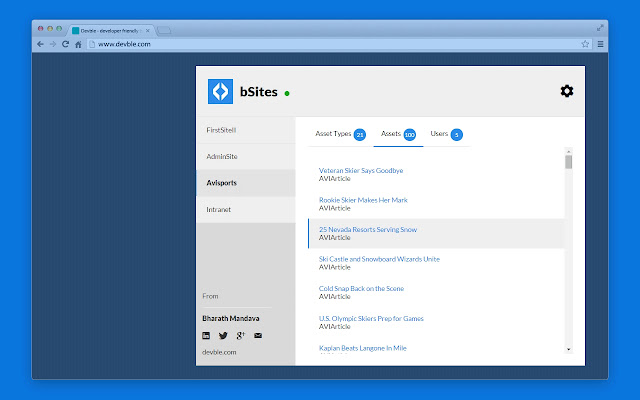
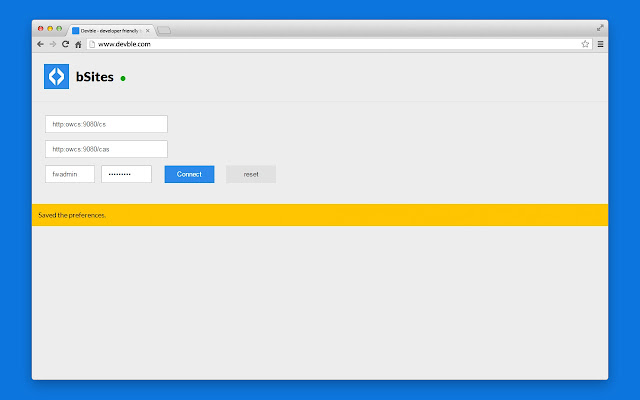
ภาพหน้าจอของส่วนขยาย

ดาวน์โหลดไฟล์ CRX ของส่วนขยาย bSites
ดาวน์โหลดไฟล์ส่วนขยาย bSites ในรูปแบบ crx และติดตั้งส่วนขยาย Chrome ด้วยตนเองในเบราว์เซอร์หรือแชร์ไฟล์ crx กับเพื่อนๆ เพื่อติดตั้งส่วนขยาย Chrome อย่างง่ายดาย
คำแนะนำในการใช้ส่วนขยาย
                        The bSites is a quick dash board for Oracle Webcenter sites. It gathers all the data in an efficient way and shows in a organized way. The bSites chrome extension saves user's time by putting major data in a single interface. It is very useful for the guys who is using Oracle Webcenter Sites like contributors, developers, managers, admins.

Features:
1. List of all websites.
2. Shows the list of all enabled asset types, assets and users along with the roles.
3. The app supports searches on all assets on the specified site.
4. Gathers all the asset's full data and shows in a eye catchy style.
ข้อมูลพื้นฐานของส่วนขยาย
| ชื่อ |  bSites bSites |
| ID | dliiinpknhchbhiaabopfmahaemfdkpb |
| URL อย่างเป็นทางการ | https://chrome.google.com/webstore/detail/bsites/dliiinpknhchbhiaabopfmahaemfdkpb |
| คำอธิบาย | A quick dashboard for Oracle Webcenter Sites. |
| ขนาดไฟล์ | 467 KB |
| จำนวนการติดตั้ง | 20 |
| เวอร์ชันปัจจุบัน | 2.4 |
| อัปเดตครั้งล่าสุด | 2015-10-28 |
| วันที่เผยแพร่ | 2015-10-28 |
| คะแนน | 5.00/5 รวมทั้งหมด 3 คะแนน |
| ผู้พัฒนา | http://devble.com |
| ประเภทการชำระเงิน | free |
| ภาษาที่รองรับ | en |
| manifest.json | |
{
    "update_url": "https:\/\/clients2.google.com\/service\/update2\/crx",
    "name": "bSites",
    "description": "A quick dashboard for Oracle Webcenter Sites.",
    "version": "2.4",
    "short_name": "bSites",
    "manifest_version": 2,
    "browser_action": {
        "default_popup": "home.html",
        "default_icon": "logo128.png"
    },
    "options_page": "options.html",
    "permissions": [
        "notifications",
        "tabs",
        "http:\/\/*\/*",
        "https:\/\/*\/*",
        "storage"
    ],
    "icons": {
        "16": "logo16.png",
        "48": "logo48.png",
        "128": "logo128.png"
    },
    "web_accessible_resources": [
        "logo.png"
    ]
} | |