One Piece New Tab Page HD Anime Top Theme
Every time you open a new tab, you will get different HD wallpapers from One Piece . This new theme includes clock and more.
One Piece New Tab Page HD Anime Top Themeคืออะไร?
One Piece New Tab Page HD Anime Top Theme เป็นส่วนขยายของ Chrome ที่พัฒนาโดย http://mytab.me และคุณลักษณะหลักของมันคือ "Every time you open a new tab, you will get different HD wallpapers from One Piece . This new theme includes clock and more."
ภาพหน้าจอของส่วนขยาย


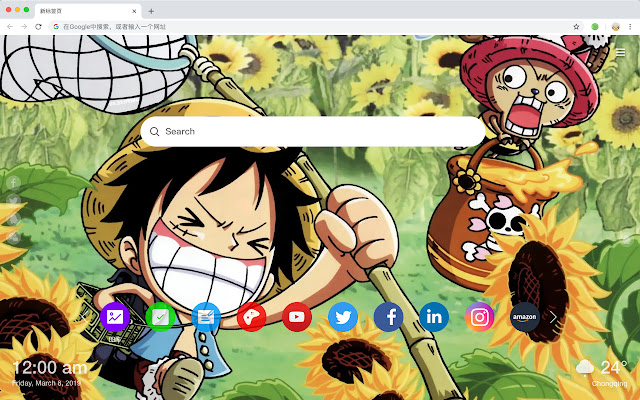
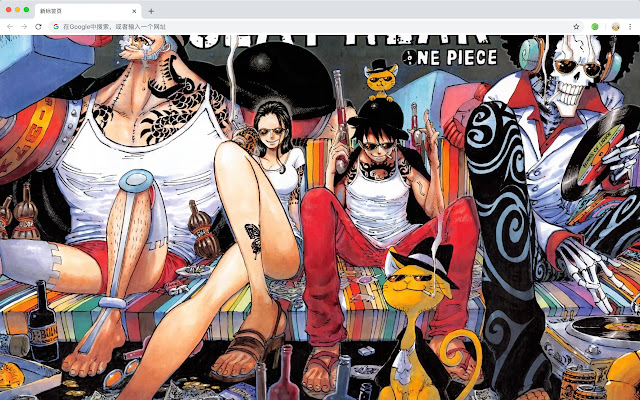
ดาวน์โหลดไฟล์ CRX ของส่วนขยาย One Piece New Tab Page HD Anime Top Theme
ดาวน์โหลดไฟล์ส่วนขยาย One Piece New Tab Page HD Anime Top Theme ในรูปแบบ crx และติดตั้งส่วนขยาย Chrome ด้วยตนเองในเบราว์เซอร์หรือแชร์ไฟล์ crx กับเพื่อนๆ เพื่อติดตั้งส่วนขยาย Chrome อย่างง่ายดาย
คำแนะนำในการใช้ส่วนขยาย
                        《航海王》是日本漫画家尾田荣一郎作画的少年漫画作品,在《周刊少年Jump》1997年34号开始连载。改编的电视动画《航海王》于1999年10月20日起在富士电视台首播。

您将获得如下新功能:
 - 待办事项清单
 - 设置收藏你的最爱壁纸
 - 发现新的热门
 - 书签
 - 社交网络通知
 - 每个新标签的高品质壁纸
 - 时钟,显示日期和时间
 - 天气小工具
 - 打开即可搜索
ข้อมูลพื้นฐานของส่วนขยาย
| ชื่อ |  One Piece New Tab Page HD Anime Top Theme One Piece New Tab Page HD Anime Top Theme |
| ID | dneieailikfbfleccdkalmonipplkphd |
| URL อย่างเป็นทางการ | https://chrome.google.com/webstore/detail/one-piece-new-tab-page-hd/dneieailikfbfleccdkalmonipplkphd |
| คำอธิบาย | Every time you open a new tab, you will get different HD wallpapers from One Piece . This new theme includes clock and more. |
| ขนาดไฟล์ | 35.32 KB |
| จำนวนการติดตั้ง | 984 |
| เวอร์ชันปัจจุบัน | 1.1.0.0 |
| อัปเดตครั้งล่าสุด | 2019-05-28 |
| วันที่เผยแพร่ | 2019-05-28 |
| ผู้พัฒนา | http://mytab.me |
| ประเภทการชำระเงิน | free |
| ภาษาที่รองรับ | en,zh-CN,zh-TW |
| manifest.json | |
{
    "name": "__MSG_ext_name__",
    "manifest_version": 2,
    "description": "__MSG_ext_desc__",
    "browser_action": {
        "default_icon": {
            "48": "icons\/48.png"
        },
        "default_title": "__MSG_ext_name__"
    },
    "chrome_url_overrides": {
        "newtab": "pages\/newtab\/index.html"
    },
    "background": {
        "scripts": [
            "app.js",
            "pages\/background\/index.js"
        ],
        "persistent": false
    },
    "default_locale": "en",
    "icons": {
        "48": "icons\/48.png",
        "128": "icons\/128.png"
    },
    "minimum_chrome_version": "57",
    "offline_enabled": true,
    "update_url": "https:\/\/clients2.google.com\/service\/update2\/crx",
    "version": "1.1.0.0"
} | |