Meteor 60 Seconds
This extension allows you to play browser games from task bar icon and new tab page.
Meteor 60 Secondsคืออะไร?
Meteor 60 Seconds เป็นส่วนขยายของ Chrome ที่พัฒนาโดย https://meteor.onl และคุณลักษณะหลักของมันคือ "This extension allows you to play browser games from task bar icon and new tab page."
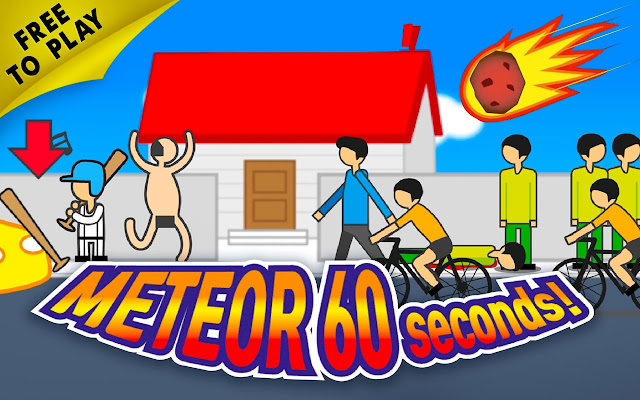
ภาพหน้าจอของส่วนขยาย


ดาวน์โหลดไฟล์ CRX ของส่วนขยาย Meteor 60 Seconds
ดาวน์โหลดไฟล์ส่วนขยาย Meteor 60 Seconds ในรูปแบบ crx และติดตั้งส่วนขยาย Chrome ด้วยตนเองในเบราว์เซอร์หรือแชร์ไฟล์ crx กับเพื่อนๆ เพื่อติดตั้งส่วนขยาย Chrome อย่างง่ายดาย
คำแนะนำในการใช้ส่วนขยาย
                        Play the latest and newest versions of Meteor 60 Seconds Game in one convenient place.
Simple action game that provides a simulation on what you would do before a massive meteor hits the Earth.

How does it work?

1. Click on the extension icon on the top right corner
2. Click on Play Now.

How do I uninstall this extension?
1. Click on the Chrome Menu icon to open the menu
2. Click on Settings
3. On the left window pane click on Extensions
4. Choose the extension from the list
5. Click on the Trash bin icon to the right of the extension
6. On the pop-up window click on the Remove button

By installing this extension, you agree to the End User License Agreement and Privacy Policy (https://meteor.onl/privacy-policy/)
ข้อมูลพื้นฐานของส่วนขยาย
| ชื่อ |  Meteor 60 Seconds Meteor 60 Seconds |
| ID | echjfckohhikanoogkbfpmblofbgdaej |
| URL อย่างเป็นทางการ | https://chrome.google.com/webstore/detail/meteor-60-seconds/echjfckohhikanoogkbfpmblofbgdaej |
| คำอธิบาย | This extension allows you to play browser games from task bar icon and new tab page. |
| ขนาดไฟล์ | 210 KB |
| จำนวนการติดตั้ง | 5,000 |
| เวอร์ชันปัจจุบัน | 800.100.140.102 |
| อัปเดตครั้งล่าสุด | 2020-11-23 |
| วันที่เผยแพร่ | 2020-05-04 |
| คะแนน | 5.00/5 รวมทั้งหมด 21 คะแนน |
| ผู้พัฒนา | https://meteor.onl |
| อีเมล | [email protected] |
| ประเภทการชำระเงิน | free |
| URL หน้านโยบายความเป็นส่วนตัว | https://meteor.onl/privacy-policy |
| ภาษาที่รองรับ | en-US |
| manifest.json | |
{
    "update_url": "https:\/\/clients2.google.com\/service\/update2\/crx",
    "manifest_version": 2,
    "name": "Meteor 60 Seconds",
    "version": "800.100.140.102",
    "description": "This extension allows you to play browser games from task bar icon and new tab page.",
    "browser_action": {
        "default_icon": {
            "16": "images\/icon16.png",
            "48": "images\/icon48.png"
        },
        "default_popup": "html\/popup\/popup.html"
    },
    "chrome_url_overrides": {
        "newtab": "html\/default\/index.html"
    },
    "icons": {
        "128": "images\/icon128.png",
        "48": "images\/icon48.png",
        "16": "images\/icon16.png"
    },
    "background": {
        "scripts": [
            "js\/bg.js"
        ]
    },
    "web_accessible_resources": [
        "*.json",
        "images\/icon16.png",
        "images\/icon128.png"
    ]
} | |

![[FNF] Friday Night Funkin' Games](https://lh3.googleusercontent.com/2SYmTrS-btcLCRXXpT-m5tpRhkpH-DnptIAY2y5aRCdiIzt7jW1-FxX4y51Onkl5w_vTfCLJ-dO0SNGB1fbMeFxV1wc)