SIP Phone
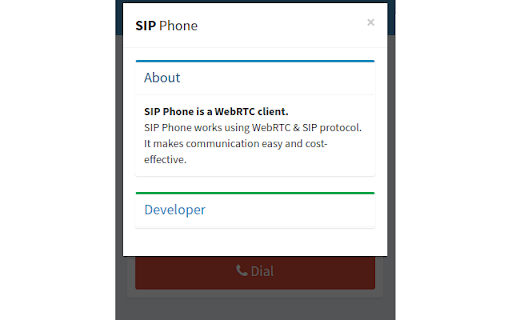
SIP Phone is a WebRTC client.
SIP Phoneคืออะไร?
SIP Phone เป็นส่วนขยายของ Chrome ที่พัฒนาโดย Ghanshyam Katriya และคุณลักษณะหลักของมันคือ "SIP Phone is a WebRTC client."
ภาพหน้าจอของส่วนขยาย



ดาวน์โหลดไฟล์ CRX ของส่วนขยาย SIP Phone
ดาวน์โหลดไฟล์ส่วนขยาย SIP Phone ในรูปแบบ crx และติดตั้งส่วนขยาย Chrome ด้วยตนเองในเบราว์เซอร์หรือแชร์ไฟล์ crx กับเพื่อนๆ เพื่อติดตั้งส่วนขยาย Chrome อย่างง่ายดาย
คำแนะนำในการใช้ส่วนขยาย
                        SIP Phone works using WebRTC & SIP protocol.

You can use it in place of Soft(VoIP) phone.

Please refer below link for more details about Features & How to use.

https://github.com/anshkatriya/sipphone
ข้อมูลพื้นฐานของส่วนขยาย
| ชื่อ |  SIP Phone SIP Phone |
| ID | eeffaijobgkgngjemggokhbjfmhklcmi |
| URL อย่างเป็นทางการ | https://chromewebstore.google.com/detail/sip-phone/eeffaijobgkgngjemggokhbjfmhklcmi |
| คำอธิบาย | SIP Phone is a WebRTC client. |
| ขนาดไฟล์ | 1.05 MB |
| จำนวนการติดตั้ง | 4,600 |
| เวอร์ชันปัจจุบัน | 0.3.1 |
| อัปเดตครั้งล่าสุด | 2020-09-16 |
| วันที่เผยแพร่ | 2020-06-21 |
| คะแนน | 2.33/5 รวมทั้งหมด 6 คะแนน |
| ผู้พัฒนา | Ghanshyam Katriya |
| อีเมล | [email protected] |
| ประเภทการชำระเงิน | free |
| URL หน้าช่วยเหลือ | https://ghanshyam.xyz |
| ภาษาที่รองรับ | en |
| manifest.json | |
{
    "update_url": "https:\/\/clients2.google.com\/service\/update2\/crx",
    "name": "SIP Phone",
    "manifest_version": 2,
    "version": "0.3.1",
    "author": "Ghanshyam Katriya ([email protected])",
    "description": "SIP Phone is a WebRTC client.",
    "background": {
        "page": "background.html",
        "persistent": true
    },
    "browser_action": {
        "default_icon": {
            "19": "ext_icons\/19.png",
            "38": "ext_icons\/38.png"
        },
        "default_popup": "index.html",
        "default_title": "SIP Phone"
    },
    "options_page": "config.html",
    "icons": {
        "16": "ext_icons\/16.png",
        "48": "ext_icons\/48.png",
        "128": "ext_icons\/128.png"
    },
    "permissions": [
        "storage",
        "notifications"
    ],
    "content_security_policy": "script-src 'self' 'unsafe-eval'; object-src 'self'",
    "web_accessible_resources": [
        "*"
    ]
} | |