ServiceNow Helper
ServiceNow Helper allows you to use ServiceNow faster and in a more efficient way.
ServiceNow Helperคืออะไร?
ServiceNow Helper เป็นส่วนขยายของ Chrome ที่พัฒนาโดย Dennis และคุณลักษณะหลักของมันคือ "ServiceNow Helper allows you to use ServiceNow faster and in a more efficient way."
ภาพหน้าจอของส่วนขยาย
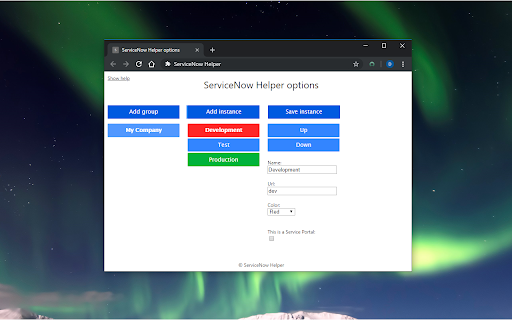
ดาวน์โหลดไฟล์ CRX ของส่วนขยาย ServiceNow Helper
ดาวน์โหลดไฟล์ส่วนขยาย ServiceNow Helper ในรูปแบบ crx และติดตั้งส่วนขยาย Chrome ด้วยตนเองในเบราว์เซอร์หรือแชร์ไฟล์ crx กับเพื่อนๆ เพื่อติดตั้งส่วนขยาย Chrome อย่างง่ายดาย
คำแนะนำในการใช้ส่วนขยาย
                        Current features:

- New in v1.5: Add notes to your instances.

- Open your ServiceNow instances with one click.
- Switch easily and fast between instances.
- Measure client-side dashboard performance on a Service Portal.
- Add the Application navigator when it's not shown.

There are no customizations needed on your ServiceNow instances for this extension to work.
ข้อมูลพื้นฐานของส่วนขยาย
| ชื่อ |  ServiceNow Helper ServiceNow Helper |
| ID | eepchnnogblhpifamaeejlpkigkcjkke |
| URL อย่างเป็นทางการ | https://chromewebstore.google.com/detail/servicenow-helper/eepchnnogblhpifamaeejlpkigkcjkke |
| คำอธิบาย | ServiceNow Helper allows you to use ServiceNow faster and in a more efficient way. |
| ขนาดไฟล์ | 79.85 KB |
| จำนวนการติดตั้ง | 167 |
| เวอร์ชันปัจจุบัน | 1.5.5 |
| อัปเดตครั้งล่าสุด | 2022-03-01 |
| วันที่เผยแพร่ | 2020-04-03 |
| ผู้พัฒนา | Dennis |
| อีเมล | [email protected] |
| ประเภทการชำระเงิน | free |
| ภาษาที่รองรับ | en |
| manifest.json | |
{
    "update_url": "https:\/\/clients2.google.com\/service\/update2\/crx",
    "version": "1.5.5",
    "name": "ServiceNow Helper",
    "short_name": "SN Helper",
    "author": "OneStarter",
    "description": "ServiceNow Helper allows you to use ServiceNow faster and in a more efficient way.",
    "manifest_version": 2,
    "browser_action": {
        "default_popup": "index.html",
        "default_icon": "icon.png"
    },
    "icons": {
        "16": "icon16.png",
        "48": "icon48.png",
        "128": "icon.png"
    },
    "permissions": [
        "activeTab",
        "storage"
    ]
} | |