ConvertApp
Offizielle ConvertApp Chrome Erweiterung
ConvertAppคืออะไร?
ConvertApp เป็นส่วนขยายของ Chrome ที่พัฒนาโดย converttools และคุณลักษณะหลักของมันคือ "Offizielle ConvertApp Chrome Erweiterung"
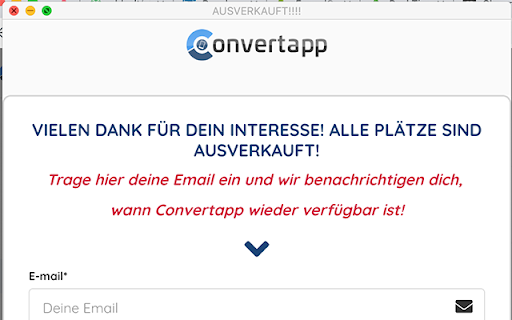
ภาพหน้าจอของส่วนขยาย

ดาวน์โหลดไฟล์ CRX ของส่วนขยาย ConvertApp
ดาวน์โหลดไฟล์ส่วนขยาย ConvertApp ในรูปแบบ crx และติดตั้งส่วนขยาย Chrome ด้วยตนเองในเบราว์เซอร์หรือแชร์ไฟล์ crx กับเพื่อนๆ เพื่อติดตั้งส่วนขยาย Chrome อย่างง่ายดาย
คำแนะนำในการใช้ส่วนขยาย
                        This is the official Chrome Extension for ConvertApp. ConvertApp is a software which allows you to easily transform any mobile website into a native mobile application.

This Chrome extension will allow you to take screenshots of your apps created in ConvertApp which can then be uploaded to the Apple AppStore and Google PlayStore.
It requires a ConvertApp account.

Step 1: Login to your ConvertApp account at https://app.convertapp.io
Step 2: Create a new or open an App under the "Apps" menu
Step 3: Click on "Generate screenshots" at the top right. The ConvertApp extension will now generate the shots from your mobile website for you automatically.
ข้อมูลพื้นฐานของส่วนขยาย
| ชื่อ |  ConvertApp ConvertApp |
| ID | ehbejeiggakpokdggnoocldpgebcjeil |
| URL อย่างเป็นทางการ | https://chromewebstore.google.com/detail/convertapp/ehbejeiggakpokdggnoocldpgebcjeil |
| คำอธิบาย | Offizielle ConvertApp Chrome Erweiterung |
| ขนาดไฟล์ | 12.47 KB |
| จำนวนการติดตั้ง | 84 |
| เวอร์ชันปัจจุบัน | 1.4 |
| อัปเดตครั้งล่าสุด | 2019-10-20 |
| วันที่เผยแพร่ | 2019-10-19 |
| คะแนน | 5.00/5 รวมทั้งหมด 1 คะแนน |
| ผู้พัฒนา | converttools |
| ประเภทการชำระเงิน | free |
| เว็บไซต์ส่วนขยาย | https://app.convertapp.io |
| ภาษาที่รองรับ | de |
| manifest.json | |
{
"update_url": "https:\/\/clients2.google.com\/service\/update2\/crx",
"name": "ConvertApp",
"version": "1.4",
"description": "Offizielle ConvertApp Chrome Erweiterung",
"background": {
"persistent": false,
"scripts": [
"background.js"
]
},
"icons": {
"128": "icon128.png"
},
"browser_action": {
"default_icon": "icon128.png",
"default_title": "ConvertApp"
},
"permissions": [
"tabs",
"https:\/\/*\/",
"activeTab",
" | |