Christmas Radio Club
Christmas songs, 24hrs per day, 7 days per week at http://christmasradio.club
Christmas Radio Clubคืออะไร?
Christmas Radio Club เป็นส่วนขยายของ Chrome ที่พัฒนาโดย toxic และคุณลักษณะหลักของมันคือ "Christmas songs, 24hrs per day, 7 days per week at http://christmasradio.club"
ภาพหน้าจอของส่วนขยาย
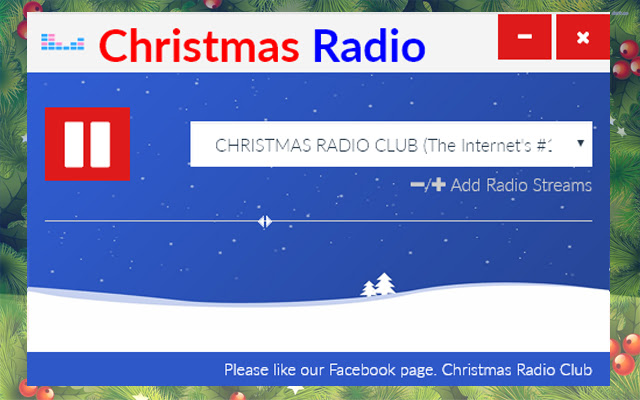
ดาวน์โหลดไฟล์ CRX ของส่วนขยาย Christmas Radio Club
ดาวน์โหลดไฟล์ส่วนขยาย Christmas Radio Club ในรูปแบบ crx และติดตั้งส่วนขยาย Chrome ด้วยตนเองในเบราว์เซอร์หรือแชร์ไฟล์ crx กับเพื่อนๆ เพื่อติดตั้งส่วนขยาย Chrome อย่างง่ายดาย
คำแนะนำในการใช้ส่วนขยาย
                        Christmas Radio Club
Version 2.0.2

A simple and compact popup player for Christmas songs, 24hrs per day, 7 days per week.

Online station http://christmasradio.club

Contact us online at:

WEB: > http://christmasradio.club
Facebook: https://www.facebook.com/christmasradioclub
Twitter: https://twitter.com/ChristmasRadioC

Many Thanks.

Santa :D
ข้อมูลพื้นฐานของส่วนขยาย
| ชื่อ |  Christmas Radio Club Christmas Radio Club |
| ID | emcnkdfnndcpmdhbkdocelpbbopnpnoe |
| URL อย่างเป็นทางการ | https://chrome.google.com/webstore/detail/christmas-radio-club/emcnkdfnndcpmdhbkdocelpbbopnpnoe |
| คำอธิบาย | Christmas songs, 24hrs per day, 7 days per week at http://christmasradio.club |
| ขนาดไฟล์ | 9.15 KB |
| จำนวนการติดตั้ง | 45 |
| เวอร์ชันปัจจุบัน | 2.0.2 |
| อัปเดตครั้งล่าสุด | 2019-04-15 |
| วันที่เผยแพร่ | 2019-04-15 |
| ผู้พัฒนา | toxic |
| อีเมล | [email protected] |
| ประเภทการชำระเงิน | free |
| เว็บไซต์ส่วนขยาย | http://christmasradio.club |
| URL หน้าช่วยเหลือ | https://www.facebook.com/ChristmasRadioClub |
| ภาษาที่รองรับ | en-GB |
| manifest.json | |
{
    "update_url": "https:\/\/clients2.google.com\/service\/update2\/crx",
    "name": "Christmas Radio Club",
    "version": "2.0.2",
    "manifest_version": 2,
    "description": "Christmas songs, 24hrs per day, 7 days per week at http:\/\/christmasradio.club",
    "homepage_url": "http:\/\/christmasradio.club",
    "browser_action": {
        "default_icon": "icon.png",
        "default_title": "Christmas songs, 24hrs per day, 7 days per week at http:\/\/christmasradio.club"
    },
    "content_security_policy": "script-src 'self' https:\/\/www.google.com; object-src 'self'",
    "icons": {
        "128": "icon.png"
    },
    "background": {
        "scripts": [
            "background.js"
        ]
    }
} | |