HistoryX
A Chrome extension to enhance your browsing history experience.
HistoryXคืออะไร?
HistoryX เป็นส่วนขยายของ Chrome ที่พัฒนาโดย Ian L. และคุณลักษณะหลักของมันคือ "A Chrome extension to enhance your browsing history experience."
ภาพหน้าจอของส่วนขยาย
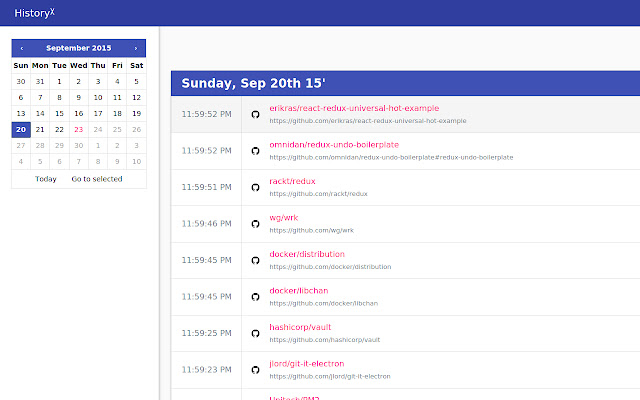
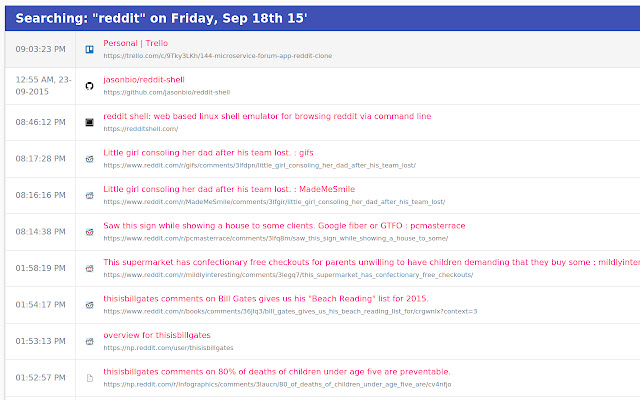

ดาวน์โหลดไฟล์ CRX ของส่วนขยาย HistoryX
ดาวน์โหลดไฟล์ส่วนขยาย HistoryX ในรูปแบบ crx และติดตั้งส่วนขยาย Chrome ด้วยตนเองในเบราว์เซอร์หรือแชร์ไฟล์ crx กับเพื่อนๆ เพื่อติดตั้งส่วนขยาย Chrome อย่างง่ายดาย
คำแนะนำในการใช้ส่วนขยาย
                        HistoryX is the first, and last fully featured history page / viewer you will ever need. It will replace your existing history page with one that is leaner, and expanded with functionality.

It is ideal for regular, and power users alike. The former can take advantage of the improved interface, and smooth materialesque browsing experience, while the latter can take advantage of the search, sort, group, and filter features.

It is being actively maintained.

100% ad, and tracker-free.

***

Powered by React, Redux, and Ant Design.

Free, and open source with the MIT license.
https://github.com/MrSaints/historyx

***

Built with <3 by Ian L.
https://www.fyianlai.com/
ข้อมูลพื้นฐานของส่วนขยาย
| ชื่อ |  HistoryX HistoryX |
| ID | eogcblpflkiminggblnpdhmdkihgceif |
| URL อย่างเป็นทางการ | https://chrome.google.com/webstore/detail/historyx/eogcblpflkiminggblnpdhmdkihgceif |
| คำอธิบาย | A Chrome extension to enhance your browsing history experience. |
| ขนาดไฟล์ | 469 KB |
| จำนวนการติดตั้ง | 30 |
| เวอร์ชันปัจจุบัน | 3.1.0 |
| อัปเดตครั้งล่าสุด | 2018-03-15 |
| วันที่เผยแพร่ | 2018-03-15 |
| คะแนน | 5.00/5 รวมทั้งหมด 3 คะแนน |
| ผู้พัฒนา | Ian L. |
| อีเมล | [email protected] |
| ประเภทการชำระเงิน | free |
| เว็บไซต์ส่วนขยาย | https://www.fyianlai.com/2015/09/introducing-historyx-for-chrome/ |
| URL หน้าช่วยเหลือ | https://github.com/MrSaints/historyx |
| ภาษาที่รองรับ | en-GB |
| manifest.json | |
{
    "update_url": "https:\/\/clients2.google.com\/service\/update2\/crx",
    "manifest_version": 2,
    "name": "HistoryX",
    "description": "A Chrome extension to enhance your browsing history experience.",
    "version": "3.1.0",
    "minimum_chrome_version": "31",
    "icons": {
        "16": "build\/static\/img\/icon16.png",
        "48": "build\/static\/img\/icon48.png",
        "128": "build\/static\/img\/icon128.png"
    },
    "chrome_url_overrides": {
        "history": "build\/index.html"
    },
    "permissions": [
        "history",
        "bookmarks",
        "tabs",
        "chrome:\/\/favicon\/"
    ],
    "content_security_policy": "script-src 'self' 'unsafe-eval'; object-src 'self'"
} | |