Tumblr – Post to Tumblr
Post to Tumblr right from your browser toolbar!
Tumblr – Post to Tumblrคืออะไร?
Tumblr – Post to Tumblr เป็นส่วนขยายของ Chrome ที่พัฒนาโดย https://tumblr.com และคุณลักษณะหลักของมันคือ "Post to Tumblr right from your browser toolbar!"
ภาพหน้าจอของส่วนขยาย

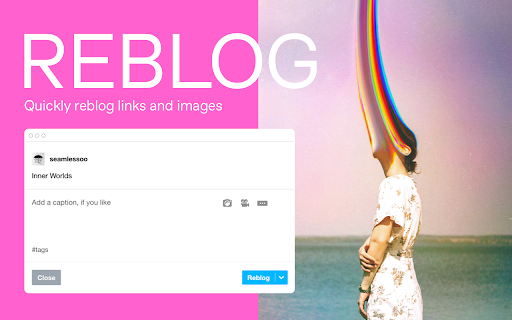

ดาวน์โหลดไฟล์ CRX ของส่วนขยาย Tumblr – Post to Tumblr
ดาวน์โหลดไฟล์ส่วนขยาย Tumblr – Post to Tumblr ในรูปแบบ crx และติดตั้งส่วนขยาย Chrome ด้วยตนเองในเบราว์เซอร์หรือแชร์ไฟล์ crx กับเพื่อนๆ เพื่อติดตั้งส่วนขยาย Chrome อย่างง่ายดาย
คำแนะนำในการใช้ส่วนขยาย
                        Collect anything on Tumblr.

• Save inspiration from anywhere on the web
• Quickly reblog photos, links, and text
• Add tags for easy discovery

The fastest way to make moodboards, add to a visual archive, and collect your favorite things all in one click. Tag your posts to instantly connect with Tumblr's built-in community or save inspiration just for you.

To get started, sign in or sign up for a free Tumblr account on www.tumblr.com.
ข้อมูลพื้นฐานของส่วนขยาย
| ชื่อ |  Tumblr – Post to Tumblr Tumblr – Post to Tumblr |
| ID | ffnhmkgpdmkajhomnckhabkfeakhcamm |
| URL อย่างเป็นทางการ | https://chromewebstore.google.com/detail/tumblr-%E2%80%93-post-to-tumblr/ffnhmkgpdmkajhomnckhabkfeakhcamm |
| คำอธิบาย | Post to Tumblr right from your browser toolbar! |
| ขนาดไฟล์ | 23.16 KB |
| จำนวนการติดตั้ง | 10,021 |
| เวอร์ชันปัจจุบัน | 2.3.2 |
| อัปเดตครั้งล่าสุด | 2022-06-01 |
| วันที่เผยแพร่ | 2020-06-18 |
| คะแนน | 3.64/5 รวมทั้งหมด 14 คะแนน |
| ผู้พัฒนา | https://tumblr.com |
| อีเมล | [email protected] |
| ประเภทการชำระเงิน | free |
| เว็บไซต์ส่วนขยาย | https://www.tumblr.com |
| URL หน้าช่วยเหลือ | https://help.tumblr.com |
| URL หน้านโยบายความเป็นส่วนตัว | https://www.tumblr.com/privacy |
| ภาษาที่รองรับ | id,de,en,fr,nl,tr,es,it,pl,pt-BR,pt-PT,ru,hi,zh-CN,zh-TW,ja,ko |
| manifest.json | |
{
    "update_url": "https:\/\/clients2.google.com\/service\/update2\/crx",
    "manifest_version": 2,
    "name": "__MSG_extName__",
    "version": "2.3.2",
    "default_locale": "en",
    "description": "__MSG_extDescription__",
    "icons": {
        "16": "icons\/16.png",
        "48": "icons\/48.png",
        "128": "icons\/128.png"
    },
    "browser_action": {
        "default_title": "__MSG_actionTitle__",
        "default_icon": {
            "16": "icons\/16.png",
            "32": "icons\/32.png"
        }
    },
    "background": {
        "scripts": [
            "lib\/browser-polyfill.min.js",
            "background.js"
        ]
    },
    "homepage_url": "https:\/\/www.tumblr.com",
    "minimum_chrome_version": "55",
    "permissions": [
        "activeTab",
        "contextMenus"
    ]
} | |