Shiny Picture in picture
Picture in picture mode (pip mode) for web videos
Shiny Picture in pictureคืออะไร?
Shiny Picture in picture เป็นส่วนขยายของ Chrome ที่พัฒนาโดย Ludmila Kirka และคุณลักษณะหลักของมันคือ "Picture in picture mode (pip mode) for web videos"
ภาพหน้าจอของส่วนขยาย
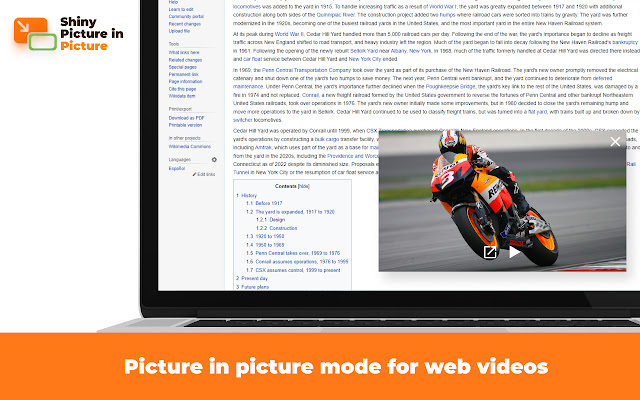
ดาวน์โหลดไฟล์ CRX ของส่วนขยาย Shiny Picture in picture
ดาวน์โหลดไฟล์ส่วนขยาย Shiny Picture in picture ในรูปแบบ crx และติดตั้งส่วนขยาย Chrome ด้วยตนเองในเบราว์เซอร์หรือแชร์ไฟล์ crx กับเพื่อนๆ เพื่อติดตั้งส่วนขยาย Chrome อย่างง่ายดาย
คำแนะนำในการใช้ส่วนขยาย
                        Shiny Picture in Picture enables picture in picture mode on almost any video website.
The PiP mode means that the video continues playing in the always-on-top floating video player. You can switch to another tab.
Please note: the original tab with the video player should remain open.
You can activate the app from:

Start a video in the tab > Browser toolbar > 🧩 Puzzle button > Shiny Picture in picture icon
On major platforms (such as Youtube), you can find a "Picture in picture" control inside the video player.
ข้อมูลพื้นฐานของส่วนขยาย
| ชื่อ |  Shiny Picture in picture Shiny Picture in picture |
| ID | fgcblhknnefmaahoilpndlidpnahnfkh |
| URL อย่างเป็นทางการ | https://chrome.google.com/webstore/detail/shiny-picture-in-picture/fgcblhknnefmaahoilpndlidpnahnfkh |
| คำอธิบาย | Picture in picture mode (pip mode) for web videos |
| ขนาดไฟล์ | 120 KB |
| จำนวนการติดตั้ง | 2,136,234 |
| เวอร์ชันปัจจุบัน | 0.4.1.0 |
| อัปเดตครั้งล่าสุด | 2023-05-04 |
| วันที่เผยแพร่ | 2022-09-12 |
| คะแนน | 4.20/5 รวมทั้งหมด 10 คะแนน |
| ผู้พัฒนา | Ludmila Kirka |
| อีเมล | [email protected] |
| ประเภทการชำระเงิน | free |
| URL หน้านโยบายความเป็นส่วนตัว | https://docs.google.com/document/d/e/2PACX-1vSS6CSv0s4xoEEh8r9kdiinMRvvjzmY8RTOXmAeCKNnY2xHPPYhZZ6s_C2Wg2wXYhdTn5pDFLBAdCko/pub |
| ภาษาที่รองรับ | id,ms,de,en,en-GB,en-US,fil,fr,nl,no,vi,tr,ca,da,et,es,es-419,hr,it,lv,lt,hu,pl,pt-BR,pt-PT,ro,sk,sl,fi,sv,cs,el,sr,bg,ru,uk,mr,hi,bn,gu,ta,te,ml,th,zh-CN,zh-TW,ja,ko |
| manifest.json | |
{
"update_url": "https:\/\/clients2.google.com\/service\/update2\/crx",
"author": "__MSG_extName__",
"background": {
"service_worker": "js\/background.js"
},
"action": {
"default_icon": {
"16": "icons\/icon16.png",
"48": "icons\/icon48.png",
"128": "icons\/icon128.png",
"300": "icons\/icon300.png"
},
"default_title": "__MSG_badgeTitle__"
},
"content_scripts": [
{
"matches": [
"http:\/\/*\/*",
"https:\/\/*\/*"
],
"js": [
"js\/content.js"
],
"all_frames": true,
"match_about_blank": true,
"run_at": "document_start"
}
],
"default_locale": "en",
"description": "__MSG_extShortDesc__",
"icons": {
"16": "icons\/icon16.png",
"48": "icons\/icon48.png",
"128": "icons\/icon128.png",
"300": "icons\/icon300.png"
},
"incognito": "split",
"manifest_version": 3,
"minimum_chrome_version": "95.0",
"name": "__MSG_extName__",
"permissions": [
"storage",
"scripting",
"alarms"
],
"host_permissions": [
" | |