Youtube Summary Database
See an AI generated short summary of a youtube video before you click on it
Youtube Summary Databaseคืออะไร?
Youtube Summary Database เป็นส่วนขยายของ Chrome ที่พัฒนาโดย http://summarydatabase.xyz และคุณลักษณะหลักของมันคือ "See an AI generated short summary of a youtube video before you click on it"
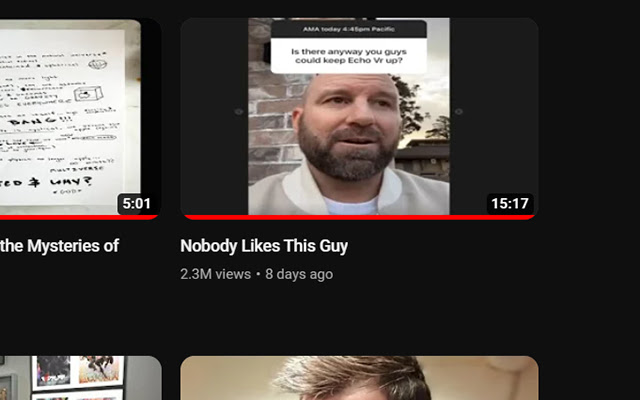
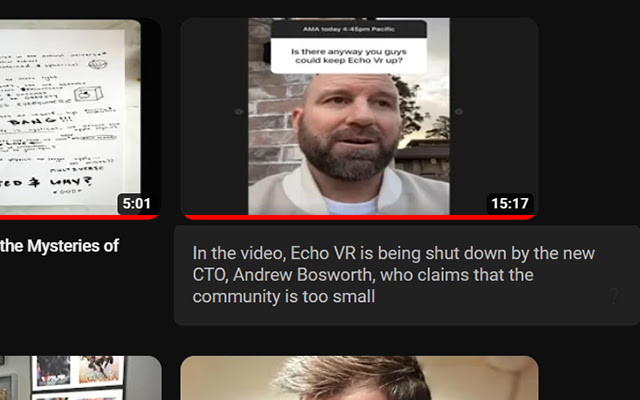
ภาพหน้าจอของส่วนขยาย

ดาวน์โหลดไฟล์ CRX ของส่วนขยาย Youtube Summary Database
ดาวน์โหลดไฟล์ส่วนขยาย Youtube Summary Database ในรูปแบบ crx และติดตั้งส่วนขยาย Chrome ด้วยตนเองในเบราว์เซอร์หรือแชร์ไฟล์ crx กับเพื่อนๆ เพื่อติดตั้งส่วนขยาย Chrome อย่างง่ายดาย
คำแนะนำในการใช้ส่วนขยาย
                        Hate clickbait? Install the extension and hover your mouse cursor on a video. You'll be able to see a brief summary generated using GPT-3. This feature makes it easy to decide whether a video is worth watching before clicking on it.

You don't need to login nor have an API key and this extension does not use your ChatGPT quota, our server is slowly summarizing the most popular youtube videos all the time. If you don't see many summaries at first, they will slowly start appearing over time
ข้อมูลพื้นฐานของส่วนขยาย
| ชื่อ |  Youtube Summary Database Youtube Summary Database |
| ID | fkebhjgklndigljoigpnleapbknjhpld |
| URL อย่างเป็นทางการ | https://chrome.google.com/webstore/detail/youtube-summary-database/fkebhjgklndigljoigpnleapbknjhpld |
| คำอธิบาย | See an AI generated short summary of a youtube video before you click on it |
| ขนาดไฟล์ | 61.76 KB |
| จำนวนการติดตั้ง | 332 |
| เวอร์ชันปัจจุบัน | 1.1 |
| อัปเดตครั้งล่าสุด | 2023-03-03 |
| วันที่เผยแพร่ | 2023-02-19 |
| คะแนน | 4.80/5 รวมทั้งหมด 5 คะแนน |
| ผู้พัฒนา | http://summarydatabase.xyz |
| อีเมล | [email protected] |
| ประเภทการชำระเงิน | free |
| ภาษาที่รองรับ | en |
| manifest.json | |
{
    "update_url": "https:\/\/clients2.google.com\/service\/update2\/crx",
    "manifest_version": 3,
    "name": "Youtube Summary Database",
    "version": "1.1",
    "description": "See an AI generated short summary of a youtube video before you click on it",
    "icons": {
        "16": "icon16.png",
        "32": "icon32.png",
        "48": "icon48.png",
        "128": "icon128.png"
    },
    "action": {
        "default_icon": "icon128.png",
        "default_title": "Youtube Summary Database",
        "default_popup": "about.html"
    },
    "content_scripts": [
        {
            "matches": [
                "https:\/\/www.youtube.com\/*"
            ],
            "js": [
                "content.js"
            ],
            "run_at": "document_idle"
        }
    ]
} | |