Sonar Web Extension
Sonar's Salesforce and Pardot explorer extension: Great for navigating your Salesforce and Pardot metadata with Sonar constantly by…
Sonar Web Extensionคืออะไร?
Sonar Web Extension เป็นส่วนขยายของ Chrome ที่พัฒนาโดย https://sonarsoftware.com และคุณลักษณะหลักของมันคือ "Sonar's Salesforce and Pardot explorer extension: Great for navigating your Salesforce and Pardot metadata with Sonar constantly by…"
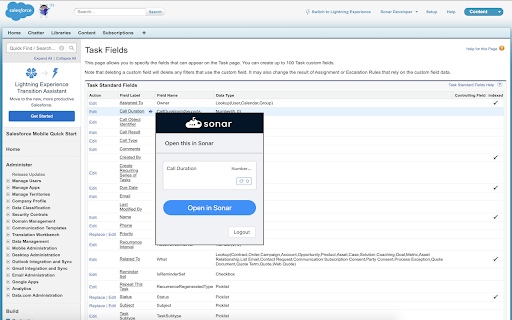
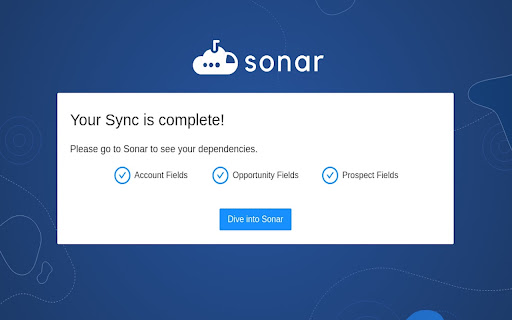
ภาพหน้าจอของส่วนขยาย

ดาวน์โหลดไฟล์ CRX ของส่วนขยาย Sonar Web Extension
ดาวน์โหลดไฟล์ส่วนขยาย Sonar Web Extension ในรูปแบบ crx และติดตั้งส่วนขยาย Chrome ด้วยตนเองในเบราว์เซอร์หรือแชร์ไฟล์ crx กับเพื่อนๆ เพื่อติดตั้งส่วนขยาย Chrome อย่างง่ายดาย
คำแนะนำในการใช้ส่วนขยาย
Sonar's Salesforce and Pardot explorer extension: Great for navigating your Salesforce and Pardot metadata with Sonar constantly by your side. Sonar imports, parses, and visualizes the downstream impacts of changes to the configuration of your Salesforce and Pardot instances. The Sonar chrome extension enables Sales Operations and Marketing Operations professionals to work together in one application. Never make a breaking change again! ข้อมูลพื้นฐานของส่วนขยาย
| ชื่อ |  Sonar Web Extension Sonar Web Extension |
| ID | fokbnkfoelnflbnjgfgmbmedhijloick |
| URL อย่างเป็นทางการ | https://chromewebstore.google.com/detail/sonar-web-extension/fokbnkfoelnflbnjgfgmbmedhijloick |
| คำอธิบาย | Sonar's Salesforce and Pardot explorer extension: Great for navigating your Salesforce and Pardot metadata with Sonar constantly by… |
| ขนาดไฟล์ | 6.47 MB |
| จำนวนการติดตั้ง | 664 |
| เวอร์ชันปัจจุบัน | 1.1.8 |
| อัปเดตครั้งล่าสุด | 2022-11-03 |
| วันที่เผยแพร่ | 2021-01-28 |
| คะแนน | 5.00/5 รวมทั้งหมด 1 คะแนน |
| ผู้พัฒนา | https://sonarsoftware.com |
| อีเมล | [email protected] |
| ประเภทการชำระเงิน | free |
| เว็บไซต์ส่วนขยาย | https://www.sonarsoftware.com |
| URL หน้าช่วยเหลือ | https://sonarsoftware.zendesk.com/hc/en-us/ |
| URL หน้านโยบายความเป็นส่วนตัว | https://www.sonarsoftware.com/privacy-policy |
| ภาษาที่รองรับ | en |
| manifest.json | |
{
    "update_url": "https:\/\/clients2.google.com\/service\/update2\/crx",
    "$schema": "http:\/\/json.schemastore.org\/chrome-manifest",
    "manifest_version": 2,
    "name": "Sonar Web Extension",
    "author": "Sonar Software",
    "version": "1.1.8",
    "description": "",
    "icons": {
        "16": "png\/16.png",
        "48": "png\/48.png",
        "128": "png\/128.png"
    },
    "browser_action": {
        "default_icon": "png\/logo512.png",
        "default_popup": "popup.html",
        "default_title": "Sonar Web Extension"
    },
    "background": {
        "persistent": true,
        "page": "background.html"
    },
    "content_scripts": [
        {
            "all_frames": true,
            "exclude_globs": [
                "*:\/\/preview.pardot.com\/*"
            ],
            "match_about_blank": true,
            "matches": [
                "https:\/\/*.salesforce.com\/*",
                "https:\/\/*.lightning.force.com\/*",
                "http:\/\/localhost:3000\/*",
                "http:\/\/*.localhost:3000\/*",
                "https:\/\/*.seesonar.com\/*",
                "https:\/\/*.staging-seesonar.com\/*",
                "https:\/\/*.pardot.com\/*"
            ],
            "run_at": "document_idle",
            "css": [
                "content.css"
            ],
            "js": [
                "content.js"
            ]
        }
    ],
    "content_security_policy": "script-src-elem 'self'",
    "externally_connectable": {
        "matches": [
            "https:\/\/*.salesforce.com\/*"
        ]
    },
    "web_accessible_resources": [
        "png\/logo.png",
        "popup.html",
        "png\/48.png",
        "pardot-sync.html"
    ],
    "permissions": [
        "http:\/\/*.localhost:3000",
        "http:\/\/localhost:3000",
        "https:\/\/*.seesonar.com\/*",
        "https:\/\/*.pardot.com\/*",
        "tabs",
        "storage",
        "webRequest",
        "webRequestBlocking"
    ]
} | |