EarthCraft: World Exploration & Craft Game
EarthCraft: World Exploration & Craft in 3D game, now available on chrome
EarthCraft: World Exploration & Craft Gameคืออะไร?
EarthCraft: World Exploration & Craft Game เป็นส่วนขยายของ Chrome ที่พัฒนาโดย GunsuGames และคุณลักษณะหลักของมันคือ "EarthCraft: World Exploration & Craft in 3D game, now available on chrome"
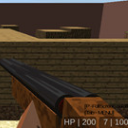
ภาพหน้าจอของส่วนขยาย


ดาวน์โหลดไฟล์ CRX ของส่วนขยาย EarthCraft: World Exploration & Craft Game
ดาวน์โหลดไฟล์ส่วนขยาย EarthCraft: World Exploration & Craft Game ในรูปแบบ crx และติดตั้งส่วนขยาย Chrome ด้วยตนเองในเบราว์เซอร์หรือแชร์ไฟล์ crx กับเพื่อนๆ เพื่อติดตั้งส่วนขยาย Chrome อย่างง่ายดาย
คำแนะนำในการใช้ส่วนขยาย
                        Play with the most famous heroes in the history of video games in EarthCraft: World Exploration & Craft Game.

How to use

- Just by clicking on Add to Chrome it will be added automatically install.

- In the upper left corner, click on settings to customize all options according to your needs.

- Enjoy EarthCraft: World Exploration & Craft Game!

* You have to disable ad-blocker for use this extension.
ข้อมูลพื้นฐานของส่วนขยาย
| ชื่อ |  EarthCraft: World Exploration & Craft Game EarthCraft: World Exploration & Craft Game |
| ID | gkanbeipallplambbojjjogfnjmcjnlg |
| URL อย่างเป็นทางการ | https://chrome.google.com/webstore/detail/earthcraft-world-explorat/gkanbeipallplambbojjjogfnjmcjnlg |
| คำอธิบาย | EarthCraft: World Exploration & Craft in 3D game, now available on chrome |
| ขนาดไฟล์ | 85.31 KB |
| จำนวนการติดตั้ง | 138 |
| เวอร์ชันปัจจุบัน | 1.0 |
| อัปเดตครั้งล่าสุด | 2020-10-12 |
| วันที่เผยแพร่ | 2020-10-12 |
| ผู้พัฒนา | GunsuGames |
| อีเมล | [email protected] |
| ประเภทการชำระเงิน | free |
| เว็บไซต์ส่วนขยาย | http://gaming.blueicegame.com/ |
| URL หน้านโยบายความเป็นส่วนตัว | https://sites.google.com/view/gunselgamesworld/home |
| ภาษาที่รองรับ | en,en-GB,en-US |
| manifest.json | |
{
    "browser_action": {
        "default_popup": "popup.html",
        "default_title": "__MSG_appName__",
        "default_icon": "16.png"
    },
    "content_security_policy": "script-src 'self'; object-src 'self'",
    "default_locale": "en",
    "description": "__MSG_appDesc__",
    "icons": {
        "128": "icon.png",
        "16": "16.png",
        "48": "48.png"
    },
    "manifest_version": 2,
    "name": "__MSG_appName__",
    "update_url": "http:\/\/clients2.google.com\/service\/update2\/crx",
    "version": "1.0"
} | |